Templates · Detail screens · Productivity app · Kanso
Kanso Task screen
A detail screen from Kanso, a productivity app template in a Dark-first style. Screen 10 of 24.
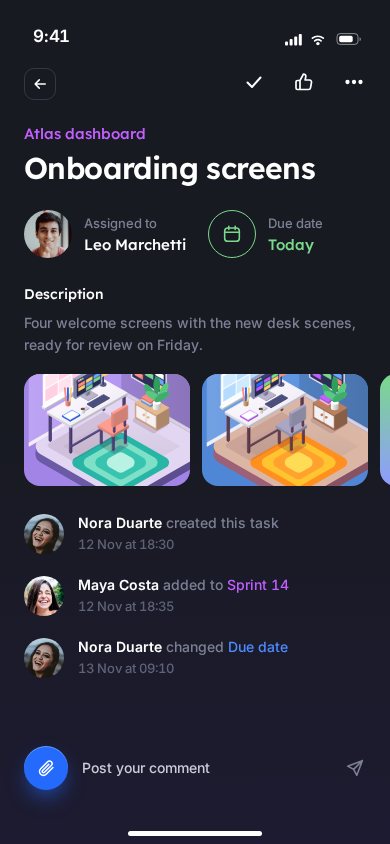
Kanso is a complete team productivity app: onboarding, sign in, a dashboard with the daily goal and a week chart, a projects grid, a project with its task sections, task details with activity, new task, due date and assignees, a calendar, team chat with conversations, teams, search, notifications, productivity stats, a Pro plan, profile and settings. Deep navy with royal blue, orchid purple, salmon and green, and isometric desk scenes drawn for it.
| Detail | Value |
|---|---|
| Screen type | Detail |
| App | Kanso: Tasks, calendar and chat |
| Category | Productivity |
| Design language | Dark-first, dark |
| Type | Lexend |
| Colours | #181a22 background, #22242f surface, #ffffff text, #7c8094 text-muted, #246bfd accent, #ffffff accent-contrast, #c25fff secondary, #2e3140 border, #ff8a80 danger |
What this screen says
- Atlas dashboard
- Onboarding screens
- Assigned toLeo Marchetti
- Due dateToday
- Description
- Four welcome screens with the new desk scenes, ready for review on Friday.
- Nora Duarte created this task
- 12 Nov at 18:30
- Maya Costa added to Sprint 14
- 12 Nov at 18:35
- Nora Duarte changed Due date
- 13 Nov at 09:10
- Post your comment
Around it in Kanso
More detail screens
- Deskly Desk: Hybrid office booking
- Pomo Task: Focus timer
- Postbox Thread: Email for busy teams
- Daybook Event: Calendar and planner
- Scanly Document: Document scanner
- Keyring Login: Password manager
- Rota Shift detail: Shift scheduling for hourly teams
- Inkwell Entry: Daily journal
- Shortlist Job: Job search and application tracker
- Parley Chat: Team messenger
- Docket Task: Task and sprint planner
- Margin Notebook: AI note taking
Every productivity app detail screen
What makes a good detail screen
- Lead with what identifies the item. A large image or title, the price or status, and the key facts at the top. People should know they are in the right place at a glance.
- Keep the main action visible. A sticky bottom button for Add to cart, Book or Play stays reachable while people scroll through details.
- Order information by importance. The facts that decide the choice come first; reviews, specifications and fine print further down.
- Use progressive disclosure. Long descriptions, specifications and policies can expand on tap rather than filling the screen.
The full detail screen guide and every example
Remix Kanso free: describe your own app and it is drawn in this design. Or get its files from $10: Figma, React Native, SwiftUI, Flutter and HTML.