Templates · Detail screens · Productivity app · Pomo
Pomo Task screen
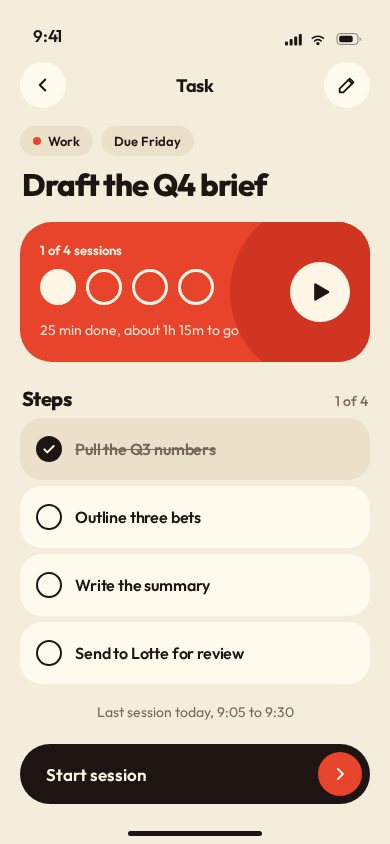
A detail screen from Pomo, a focus timer app template in a Minimal style. Screen 12 of 25.
Pomo is a complete focus timer: welcome, sign in, picking a rhythm, a home with the next session, session setup, a full red timer with giant numerals, a green break, a session summary, tasks with session estimates, focus sounds and a mixer, focus rooms with friends and a live shared round, weekly stats, a streak calendar, history, a Plus plan, profile and settings. Flat tomato red, cream and ink, with no shadows and no gradients.
| Detail | Value |
|---|---|
| Screen type | Detail |
| App | Pomo: Focus timer |
| Category | Productivity |
| Design language | Minimal, light |
| Type | Outfit |
| Colours | #f5eddc background, #fffaee surface, #1e1512 text, #75685b text-muted, #e8442b accent, #fff6e6 accent-contrast, #1f6b4a secondary, #e0d3ba border, #a8261a danger |
What this screen says
- Task
- Work Due Friday
- Draft the Q4 brief
- 1 of 4 sessions
- 25 min done, about 1h 15m to go
- Steps1 of 4
- Pull the Q3 numbers
- Outline three bets
- Write the summary
- Send to Lotte for review
- Last session today, 9:05 to 9:30
- Start session
Around it in Pomo
More detail screens
- Ping Test details: Internet speed test
- Glance Product: Visual search with the camera
- Replay Video: Record and share screen videos
- Easel Retro template: Collaborative whiteboard
- Token Account: Two-factor codes and sign-in approvals
- Beam Transfer: Send big files
- Parchment Document: Documents, edit and share
- Lectern Deck: Slides and presenter remote
- Ringer Call details: Phone, contacts and voicemail
- Pipeline Deal: Sales CRM on the road
- Aim Objective: Goals and key results
- Scribe Note: Voice memos to notes
Every productivity app detail screen
What makes a good detail screen
- Lead with what identifies the item. A large image or title, the price or status, and the key facts at the top. People should know they are in the right place at a glance.
- Keep the main action visible. A sticky bottom button for Add to cart, Book or Play stays reachable while people scroll through details.
- Order information by importance. The facts that decide the choice come first; reviews, specifications and fine print further down.
- Use progressive disclosure. Long descriptions, specifications and policies can expand on tap rather than filling the screen.
The full detail screen guide and every example
Remix Pomo free: describe your own app and it is drawn in this design. Or get its files from $10: Figma, React Native, SwiftUI, Flutter and HTML.