Templates · Sign in and sign up screens · Productivity app · Inkwell
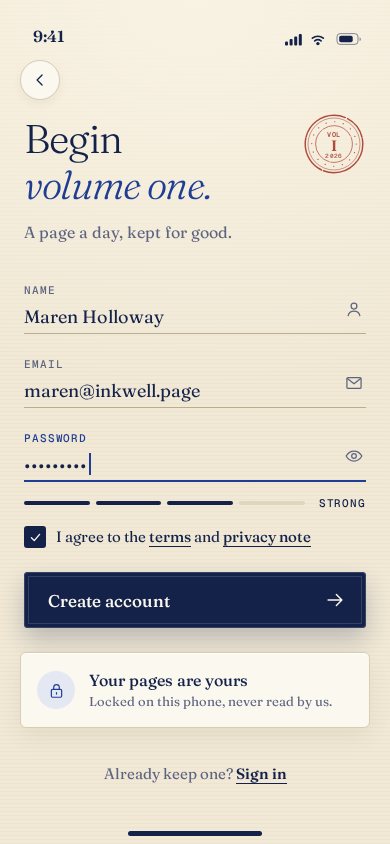
Inkwell Create account screen
A sign in screen from Inkwell, a daily journal app template in a Luxury style. Screen 3 of 25.
Inkwell is a complete daily journal: welcome, sign in, a passcode lock and a daily reminder, today's page with a prompt, a ruled editor with photos, a mood drawn in ink, the saved entry, the whole journal as a timeline, a calendar of entries, search, tags, on this day, mood trends, a year in review, a printed volume to order, a Folio plan, notifications, profile and settings. Every date is a postmark and every page is paper.
| Detail | Value |
|---|---|
| Screen type | Sign in |
| App | Inkwell: Daily journal |
| Category | Productivity |
| Design language | Luxury, light |
| Type | Fraunces |
| Colours | #f1e9d6 background, #fbf8ef surface, #14224a text, #5e6480 text-muted, #1f3d94 accent, #fbf8ef accent-contrast, #d9e0ee secondary, #d8cdb2 border, #a8392b danger |
What this screen says
- Begin
- volume one.
- A page a day, kept for good.
- Name
- Maren Holloway
- maren@inkwell.page
- Password
- •••••••••
- Strong
- I agree to the terms and privacy note
- Create account
- Your pages are yours
- Locked on this phone, never read by us.
- Already keep one? Sign in
Around it in Inkwell
More sign in and sign up screens
- Tunnel Sign in: VPN and online privacy
- Ping Sign in: Internet speed test
- Glance Sign in: Visual search with the camera
- Replay Sign in: Record and share screen videos
- Easel Sign in: Collaborative whiteboard
- Token Create account: Two-factor codes and sign-in approvals
- Beam Sign in: Send big files
- Parchment Sign in: Documents, edit and share
- Lectern Sign in: Slides and presenter remote
- Ringer Sign in: Phone, contacts and voicemail
- Pipeline Sign in: Sales CRM on the road
- Aim Sign in: Goals and key results
Every productivity app sign in screen
What makes a good login screen
- Offer the fastest option first. Sign in with Apple, Google or a passkey takes one tap. If you support them, put them above the email form. Apple asks apps that use a third-party login like Google to also offer an equivalent privacy-focused option, such as Sign in with Apple.
- Separate sign in from sign up clearly. Use different headings and buttons, and a clear link to switch. People who already have an account should never end up creating a second one by accident.
- Use the right keyboard and autofill. Email fields should open the email keyboard and support password managers and one-time code autofill. Small details, big difference in how many people get through.
- Write errors that help. "That password doesn't match this email" is better than "Error 401". Keep what people typed so they only fix the part that was wrong.
The full login screen guide and every example
Remix Inkwell free: describe your own app and it is drawn in this design. Or get its files from $10: Figma, React Native, SwiftUI, Flutter and HTML.