Templates · Paywall screens · Lifestyle app · Handy
Handy Plus screen
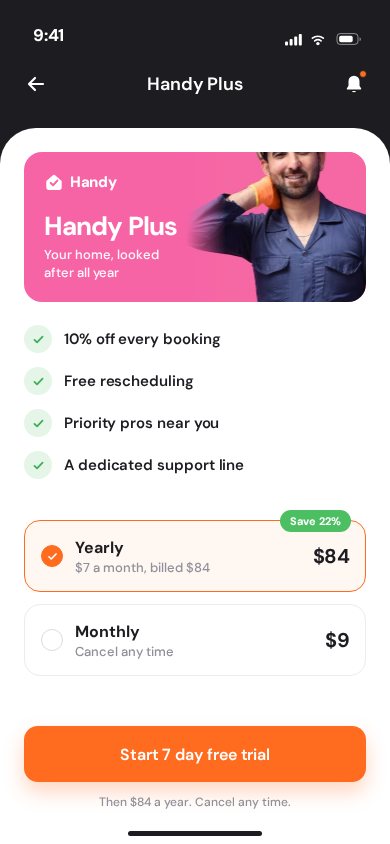
A paywall screen from Handy, a home services app template in a Minimal style. Screen 20 of 25.
Handy is a complete home services app: onboarding, sign in, a home with service tiles and offers, every service, a cleaning set-up with home size and extras, choosing a professional, a calendar with time slots, the address on a map, order details with a promo code, card payment, a booking placed screen, live tracking of the pro, chat, a rating, bookings, spending, a membership, notifications, profile, settings and help. Charcoal, white and orange with soft pastel tiles.
| Detail | Value |
|---|---|
| Screen type | Paywall |
| App | Handy: Home services |
| Category | Lifestyle |
| Design language | Minimal, light |
| Type | DM Sans |
| Colours | #f6f6f7 background, #ffffff surface, #1c1c21 text, #8f9099 text-muted, #ff6b1f accent, #ffffff accent-contrast, #4cbf63 secondary, #ececef border, #f0432c danger |
What this screen says
- Handy Plus
- HandyHandy PlusYour home, looked after all year
- 10% off every booking
- Free rescheduling
- Priority pros near you
- A dedicated support line
- Yearly
- $7 a month, billed $84
- $84Save 22%
- Monthly
- Cancel any time
- Start 7 day free trial
- Then $84 a year. Cancel any time.
Around it in Handy
More paywall screens
- Byline Subscribe: Daily news reader
- Shelf Plus: Reading tracker and book club
- Marquee Pass: Cinema tickets and watchlist
- Tasker Plus: Book and do local odd jobs
- Toolbox Pro: Hardware store and project lists
- Brief Plus: News in sixty words
- Kibble Club: Pet supplies and autoship
- Filmlog Pro: Film diary and reviews
- Guardrail Plus: Parental controls and screen time
- Collar Plans: GPS pet tracker
- Postage Plus: Send parcels and find drop-off points
- Specs Club: Glasses with virtual try-on
Every lifestyle app paywall screen
What makes a good paywall screen
- Lead with the outcome, not the feature list. The headline should say what changes for the person: "Train smarter every week" beats "Unlock Premium". Three to five benefits underneath are enough; more turns into a wall of ticks nobody reads.
- Show the real price, period and trial terms. State the price, how often it renews and when a free trial turns into a charge, near the button. Apple's App Store guideline 3.1.2 asks subscription apps to make this clear before purchase, and Google Play has similar rules.
- One primary button. The main call to action should be impossible to miss and say what happens: "Start 7-day free trial" or "Subscribe for $4.99/month". A second plan choice is fine; a second competing button is not.
- Make the plans easy to compare. When you offer monthly and yearly, show both prices in the same unit (per month or per week) and mark the saving on the yearly plan in plain numbers, not just a badge.
The full paywall screen guide and every example
Remix Handy free: describe your own app and it is drawn in this design. Or get its files from $10: Figma, React Native, SwiftUI, Flutter and HTML.