Templates · Sign in and sign up screens · Social app · Glade
Glade Verify screen
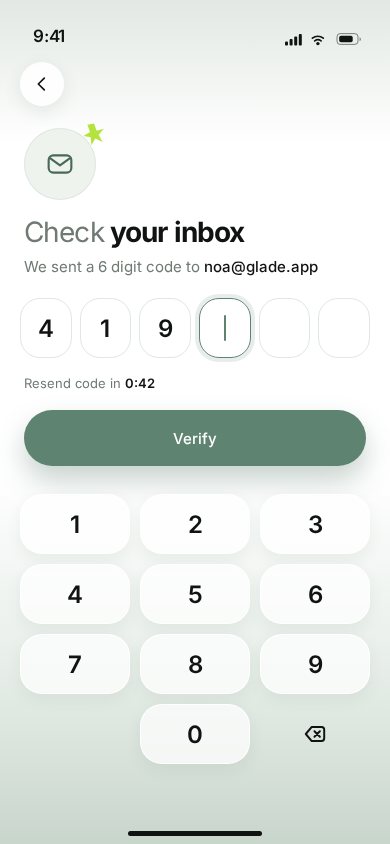
A sign in screen from Glade, a photo and clip social network app template in a Glass style. Screen 3 of 25.
Glade is a complete photo and clip social app: a welcome photo grid, sign in, interests, a home with a story row and a photo feed, stories, posts and comments, a full-screen clip viewer with a frosted action rail, sounds, explore and search, creating a post with drawn-on doodles, activity, messages and chat, profiles, insights, saved collections, a Plus plan and settings. White into sage green with frosted glass, forest green buttons and lime doodle splashes.
| Detail | Value |
|---|---|
| Screen type | Sign in |
| App | Glade: Photo and clip social network |
| Category | Social |
| Design language | Glass, light |
| Type | Inter |
| Colours | #ffffff background, #eef3ee surface, #101311 text, #6f7a73 text-muted, #5e8370 accent, #ffffff accent-contrast, #b4e33d secondary, #dfe7e1 border, #d9584a danger |
What this screen says
- Check your inbox
- We sent a 6 digit code to noa@glade.app
- Resend code in 0:42
- Verify
Around it in Glade
More sign in and sign up screens
- Kindly Sign in: Volunteering near you
- Cohort Sign in: Alumni and mentor network
- Kin Sign in: Private family circle
- Confetti Sign in: Party invites and RSVPs
- Ripple Sign in: Voice notes social
- Duo Sign in: An app for two
- Soapbox Sign in: Weekly debates and polls
- Ballot Sign in: Settle it on paper
- Murmur Sign in: Chat rooms for art lovers
- Wink Sign in: Video first dating
- Snoot Sign in: Social app for pets
- Huddle Sign in: Interest groups and meetups
Every social app sign in screen
What makes a good login screen
- Offer the fastest option first. Sign in with Apple, Google or a passkey takes one tap. If you support them, put them above the email form. Apple asks apps that use a third-party login like Google to also offer an equivalent privacy-focused option, such as Sign in with Apple.
- Separate sign in from sign up clearly. Use different headings and buttons, and a clear link to switch. People who already have an account should never end up creating a second one by accident.
- Use the right keyboard and autofill. Email fields should open the email keyboard and support password managers and one-time code autofill. Small details, big difference in how many people get through.
- Write errors that help. "That password doesn't match this email" is better than "Error 401". Keep what people typed so they only fix the part that was wrong.
The full login screen guide and every example
Remix Glade free: describe your own app and it is drawn in this design. Or get its files from $10: Figma, React Native, SwiftUI, Flutter and HTML.