Templates · Sign in and sign up screens · Social app · Kin
Kin Sign in screen
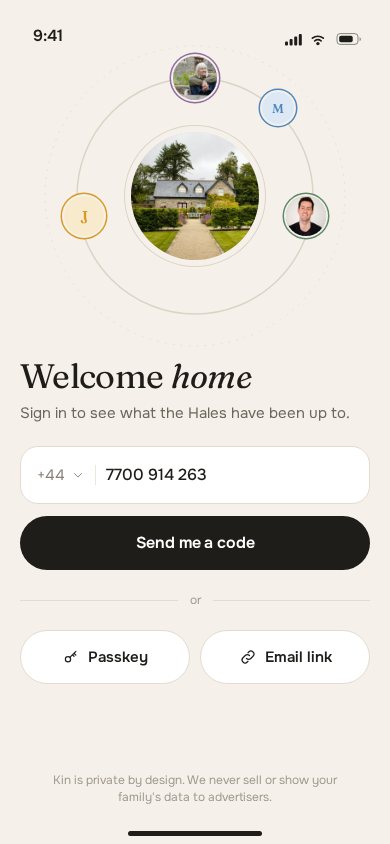
A sign in screen from Kin, a private family circle app template in a Minimal style. Screen 3 of 25.
Kin is a complete private family app: welcome, starting a circle, sign in and a code, a home built around the family ring with who is where, moments with photos, milestones and comments, posting a moment, shared albums, an album grid and a photo viewer, a live family map, member pages, a shared calendar and events with who is bringing what, a family chat with voice notes, invites, search, a Year in Kin dashboard, ordering a printed photo book with confirmation, Kin Plus, notifications, your profile and privacy settings. Linen and white with soft ink, a clay accent and one gentle colour per person.
| Detail | Value |
|---|---|
| Screen type | Sign in |
| App | Kin: Private family circle |
| Category | Social |
| Design language | Minimal, light |
| Type | Fraunces for headings, Onest for text |
| Colours | #f5f1ea background, #ffffff surface, #1f1d1a text, #8a8177 text-muted, #e0673f accent, #fbe3d9 accent-soft, #5f8a6a secondary, #e8e1d6 border, #c4532e danger |
What this screen says
- Welcome home
- Sign in to see what the Hales have been up to.
- Send me a code
- or
- Passkey
- Email link
- Kin is private by design. We never sell or show your family's data to advertisers.
Around it in Kin
More sign in and sign up screens
- Onair Sign in: Live streaming
- Drift Sign in: Reels and voice rooms
- Glitz Sign in: Party live streaming
- Hearth Sign in: Messenger for trips and circles
- Chirp Sign in: Messenger with file sharing
- Banter Sign in: Live messenger
- Natter Sign in: Minimal messenger
- Nearly Sign in: Dating by crossed paths
- Linkup Sign in: Professional network and jobs
- Quorum Sign in: Questions and expert answers
- Backer Sign up: Support creators with memberships
- Pledge Sign in: Back creative projects
Every social app sign in screen
What makes a good login screen
- Offer the fastest option first. Sign in with Apple, Google or a passkey takes one tap. If you support them, put them above the email form. Apple asks apps that use a third-party login like Google to also offer an equivalent privacy-focused option, such as Sign in with Apple.
- Separate sign in from sign up clearly. Use different headings and buttons, and a clear link to switch. People who already have an account should never end up creating a second one by accident.
- Use the right keyboard and autofill. Email fields should open the email keyboard and support password managers and one-time code autofill. Small details, big difference in how many people get through.
- Write errors that help. "That password doesn't match this email" is better than "Error 401". Keep what people typed so they only fix the part that was wrong.
The full login screen guide and every example
Remix Kin free: describe your own app and it is drawn in this design. Or get its files from $10: Figma, React Native, SwiftUI, Flutter and HTML.