Templates · Success and confirmation screens · Lifestyle app · Drizzle
Drizzle Welcome to Plus screen
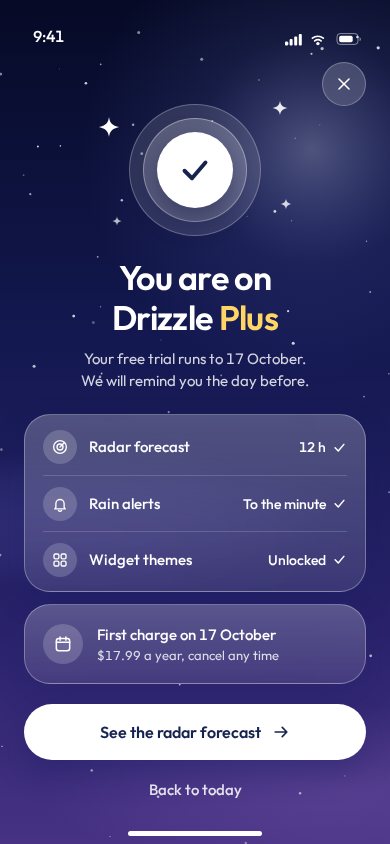
A success screen from Drizzle, a weather with living skies app template in a Glass style. Screen 22 of 25.
Drizzle is a complete weather app: welcome, location access, sign in and a code, a home with now, the next hours and four metric tiles, an hourly chart, a 10 day outlook, a day in detail, rain in the next hours, a live radar map with a timeline, air quality, sun and moon, saved places that each wear their own sky, adding a place, a city at night, severe alerts, home screen widgets, a Plus plan, notifications, profile and settings. The sky behind every screen changes with the conditions it reports.
| Detail | Value |
|---|---|
| Screen type | Success |
| App | Drizzle: Weather with living skies |
| Category | Lifestyle |
| Design language | Glass, dark |
| Type | Outfit |
| Colours | #2f63d8 background, #5f8eee surface, #ffffff text, #d5e0fb text-muted, #ffd666 accent, #17234f accent-contrast, #8fd3ff secondary, #9db8f5 border, #ff7a6b danger |
What this screen says
- You are on
- Drizzle Plus
- Your free trial runs to 17 October.
- We will remind you the day before.
- Radar forecast
- 12 h
- Rain alerts
- To the minute
- Widget themes
- Unlocked
- First charge on 17 October
- $17.99 a year, cancel any time
- See the radar forecast
- Back to today
Around it in Drizzle
More success and confirmation screens
- Bazaar Listing live: Local buy and sell
- Kiln Order placed: Handmade marketplace
- Waybill Delivered: Every parcel, read like its label
- Torque Booked: The workshop manual for your own car
- Vetly Booked: Pet health record
- Stitch Finished: A knitting companion drawn as one big knitting chart
- Roost Chore done: Your shared house, stuck to the fridge door
- Trellis Harvest logged: Vegetable garden planner
- Grain Exported: Camera and photo editor
- Posy Confirmed: Flower delivery and weekly stems
- Fern Watered: Plant care
- Doorstep Viewing booked: Homes for sale and rent
Every lifestyle app success screen
What makes a good confirmation screen
- Confirm in the headline. "Payment sent", "Table booked for Friday at 8" or "Lesson complete" in plain words, with a clear success colour or icon.
- Repeat the key details. Amount, date, reference number or score, so people do not need to check elsewhere that the right thing happened.
- Say what happens next. When the order arrives, when the money lands, when the next lesson unlocks.
- Offer the next step. Track the order, add to calendar, share, or start the next lesson. One primary action and a way back home.
The full confirmation screen guide and every example
Remix Drizzle free: describe your own app and it is drawn in this design. Or get its files from $10: Figma, React Native, SwiftUI, Flutter and HTML.