Templates · Onboarding screens · Finance app · Billable
Billable Welcome screen
An onboarding screen from Billable, a finance app template in a Minimal style. Screen 1 of 25.
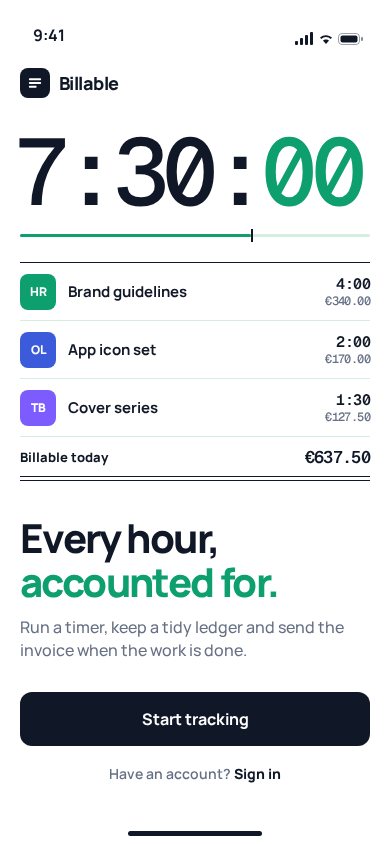
Billable is billable covers a freelancer's whole billing loop: run a timer per client, review the day and the week as blocks of hours, manage clients and projects, then build, send and chase invoices. Reports, notifications, a Pro plan, profile and settings round it out.
| Detail | Value |
|---|---|
| Screen type | Onboarding |
| App | Billable: Time tracking and invoices, kept like a ledger |
| Category | Finance |
| Design language | Minimal, light |
| Type | Manrope |
| Colours | #ffffff background, #f1faf5 surface, #101828 text, #667085 text-muted, #0e9f6e accent, #ffffff accent-contrast, #f59e0b secondary, #d5eee2 border, #d92d20 danger |
What this screen says
- Billable
- HRBrand guidelines
- OLApp icon set
- TBCover series
- Billable today €637.50
- Every hour,
- accounted for.
- Run a timer, keep a tidy ledger and send the invoice when the work is done.
- Start tracking
- Have an account? Sign in
Around it in Billable
More onboarding screens
- Later Welcome: Buy now, pay in four
- Standing Welcome: Credit score and reports
- Accrue Welcome: Retirement and pension planner
- Levy Welcome: Taxes for freelancers
- Bullion Welcome: Gold and silver savings
- Wage Welcome: Get paid as you work
- Keystone Welcome: Mortgage and home loan tracker
- Rebate Welcome: Cashback card and rewards
- Aegis Welcome: Insurance policies and claims
- Till Welcome: Card reader and sales for small shops
- Strike Welcome: Options trading
- Prism Welcome: Net worth across every account
Every finance app onboarding screen
What makes a good onboarding screen
- One idea per screen. Each screen should say one thing in a headline people can read in a second. If a screen needs a paragraph, it is doing too much.
- Personalise with a purpose. Ask a question only if the answer changes what people see next, like a goal, a level or an interest. Then show that the answer mattered.
- Explain permissions before asking. Show your own screen saying why you need notifications, location or the camera before the system prompt. People who understand the reason are more likely to allow it.
- Let people skip. A visible skip or "I'll do this later" respects returning users and the impatient. Make sure skipping still lands them somewhere useful.
The full onboarding screen guide and every example
Remix Billable free: describe your own app and it is drawn in this design. Or get its files from $10: Figma, React Native, SwiftUI, Flutter and HTML.