Templates · List and feed screens · Fitness app · Ward
Ward Medications screen
A list screen from Ward, a health and fitness app template in a Clinical style. Screen 18 of 25.
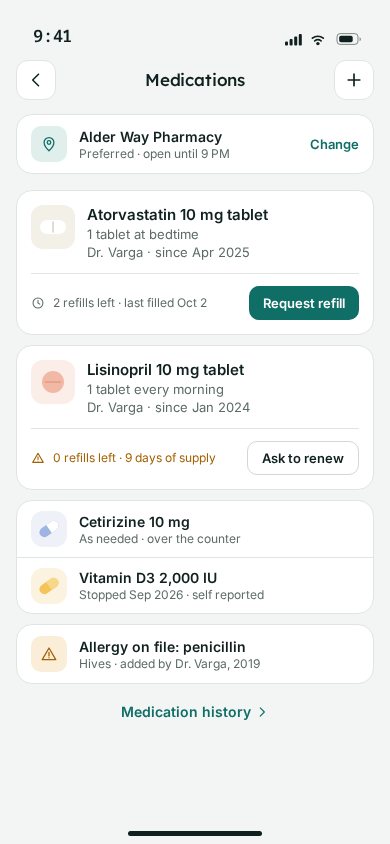
Ward is a complete patient portal for the invented Larkfield Health network: welcome, sign in and a verification code, a home with the patient wristband and the next visit, visits, a visit with directions, a five step eCheck-in and arrival code, finding care and scheduling, a video visit, test results with reference ranges, a lipid panel, a trend over time, secure messages with the care team, a new message, medications and refills, billing and paying a bill, a health summary, notifications, family access and settings. Paper grey and white with spruce teal and a quiet amber.
| Detail | Value |
|---|---|
| Screen type | List |
| App | Ward: Patient portal for results, visits and messages |
| Category | Health and fitness |
| Design language | Clinical, light |
| Type | Lexend for headings, Inter for text |
| Colours | #f2f5f4 background, #ffffff surface, #10201e text, #5c6b68 text-muted, #0f6e66 accent, #ffffff accent-contrast, #e1efec secondary, #dfe5e3 border, #c2412d danger |
What this screen says
- Medications
- Alder Way PharmacyPreferred · open until 9 PM
- Change
- Atorvastatin 10 mg tablet
- 1 tablet at bedtime
- Dr. Varga · since Apr 2025
- 2 refills left · last filled Oct 2Request refill
- Lisinopril 10 mg tablet
- 1 tablet every morning
- Dr. Varga · since Jan 2024
- 0 refills left · 9 days of supplyAsk to renew
- Cetirizine 10 mgAs needed · over the counter
- Vitamin D3 2,000 IUStopped Sep 2026 · self reported
- Allergy on file: penicillinHives · added by Dr. Varga, 2019
- Medication history
Around it in Ward
More list and feed screens
- Harbor Journal: Therapy and mood
- Fasten Plans: Intermittent fasting
- Plate Diary: Calorie and macro tracker
- Vita Lab tests: Personal health record
- Forge Notifications: AI fitness and nutrition
- Lull Notifications: Sleep sounds and meditation
- Pace Workouts: Fitness tracker
- Flexpass Upcoming: One membership, many studios
- Clinic Reviews: Find and book doctors
- Careline Calendar: Care for an ageing parent
- Velo Schedule: Live and on-demand indoor cycling
- Vantage Activities: Sports watch companion
What makes a good list screen
- Show what people need to decide. Each row should carry just enough to choose: a title, one or two details and a status. Everything else belongs on the detail screen.
- Keep rows consistent. The same information in the same place on every row lets people scan down a column instead of reading each item.
- Group with headings. Dates, categories or status headings break long lists into chunks people can skip through.
- Make common actions quick. Swipe actions, a checkbox or a heart on the row save opening the item for small tasks.
The full list screen guide and every example
Remix Ward free: describe your own app and it is drawn in this design. Or get its files from $10: Figma, React Native, SwiftUI, Flutter and HTML.