Templates · Form and input screens · Education app · Syntax
Syntax Ask a question screen
A form screen from Syntax, a learn to code app template in a Dark-first style. Screen 21 of 25.
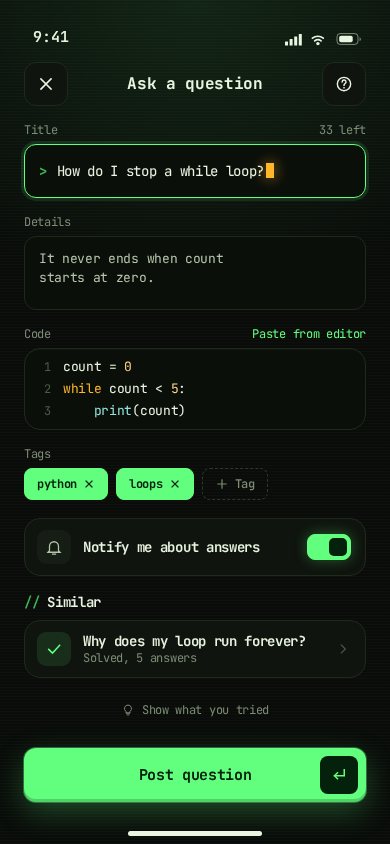
Syntax is a complete app for learning to code on a phone: welcome, picking a track, sign in and account creation, a home with the lesson to resume and a daily challenge, tracks, a track laid out as numbered lines, a lesson, a code editor with a key row and live output, lesson complete, challenges with test results, a streak with a contribution grid, progress charts, saved snippets, community questions and answers, a certificate, a Pro plan, notifications, profile and settings. Green means it ran or passed, amber marks where you are.
| Detail | Value |
|---|---|
| Screen type | Form |
| App | Syntax: Learn to code |
| Category | Education |
| Design language | Dark-first, dark |
| Type | JetBrains Mono |
| Colours | #090c09 background, #0f140e surface, #e9f5e1 text, #7c8c75 text-muted, #62ff7e accent, #04210b accent-contrast, #ffb629 secondary, #1f2a1d border, #ff6b57 danger |
What this screen says
- Ask a question
- Title33 left
- >How do I stop a while loop?
- Details
- It never ends when count
- starts at zero.
- CodePaste from editor
- 1count = 0
- 2while count < 5 :
- 3 print (count)
- Tags
- python loops Tag
- Notify me about answers
- //Similar
- Why does my loop run forever?
- Solved, 5 answers
- Show what you tried
- Post question
Around it in Syntax
More form and input screens
- Numo Daily goal: Kids maths game
- Tuckin Sleep timer: Bedtime stories for kids
- Zenith New observation: Night sky guide
- Chalk Quiz: Design courses
- Classroom New post: Class stream and assignments
- Studyhall Practice: Free lessons and practice for school
- Tutor Filters: Book online tutors for any skill
- Leaf New note: E-books and reading
- Almanac Edit section: The free encyclopedia reader
- Tiles Share result: Daily word and number puzzles
- Stacks Renew: Borrow e-books and audiobooks from your library
- Penpal Correct: Language exchange chat
Every education app form screen
What makes a good form screen
- Ask only what you need. Every field is a reason to stop. Remove optional fields or move them to later.
- Labels above fields. Visible labels stay readable while people type; placeholder-only labels disappear.
- Use the right keyboard and input. Number pads for amounts, email keyboards for email, pickers for dates and autofill for addresses and codes.
- Validate as people go. Show problems next to the field when people leave it, in words that say how to fix them.
The full form screen guide and every example
Remix Syntax free: describe your own app and it is drawn in this design. Or get its files from $10: Figma, React Native, SwiftUI, Flutter and HTML.