Templates · Form and input screens · Travel app · Spoke
Spoke End ride screen
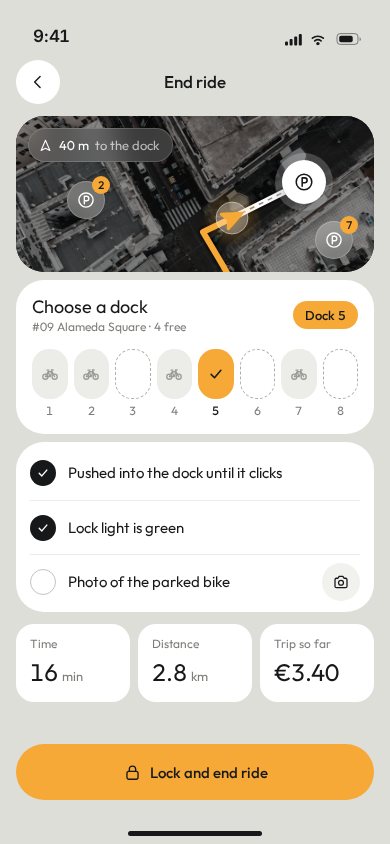
A form screen from Spoke, a bike sharing app template in a Minimal style. Screen 13 of 24.
Spoke is a complete bike sharing app: onboarding, sign in, a home map over aerial photography with stations nearby, search, a station, a bike, reserve, scan to unlock, a live ride with directions, parking and a ride summary, journeys and stats, passes with checkout, a wallet, saved stations, profile and settings. Warm grey and black with one amber for bikes, routes and actions.
| Detail | Value |
|---|---|
| Screen type | Form |
| App | Spoke: Bike sharing |
| Category | Travel |
| Design language | Minimal, light |
| Type | Outfit |
| Colours | #deded9 background, #ffffff surface, #17181a text, #7d7e79 text-muted, #f6a936 accent, #17181a accent-contrast, #1c1d1f secondary, #cfcfc9 border, #e5484d danger |
What this screen says
- End ride
- 40 m to the dock
- Choose a dock#09 Alameda Square · 4 free
- Dock 5
- Pushed into the dock until it clicks
- Lock light is green
- Photo of the parked bike
- Time 16 min
- Distance 2.8 km
- Trip so far €3.40
- Lock and end ride
Around it in Spoke
More form and input screens
- Volta Filters: EV charging
- Roamly Filters: Trips, stays and experiences
- Jaunt Filters: Bus, train and flight booking
- Wheelhouse Messages: Driver app for ride hailing
- Fuelup Pick a pump: Pay at the pump and car wash
- Omnia Rate trip: Super app for rides, food and payments
- Staya Dates: Homes and stays from local hosts
- Lodge Dates: Hotels, deals and reservations
- Fare Dates: Flight search and price alerts
- Rove Write a review: Reviews and things to do
- Ignition Driver check: Car rental from local hosts
- Contrail Dates: Airline booking, check-in and boarding
What makes a good form screen
- Ask only what you need. Every field is a reason to stop. Remove optional fields or move them to later.
- Labels above fields. Visible labels stay readable while people type; placeholder-only labels disappear.
- Use the right keyboard and input. Number pads for amounts, email keyboards for email, pickers for dates and autofill for addresses and codes.
- Validate as people go. Show problems next to the field when people leave it, in words that say how to fix them.
The full form screen guide and every example
Remix Spoke free: describe your own app and it is drawn in this design. Or get its files from $10: Figma, React Native, SwiftUI, Flutter and HTML.