Templates · Sign in and sign up screens · Productivity app · Sheet
Sheet Sign in screen
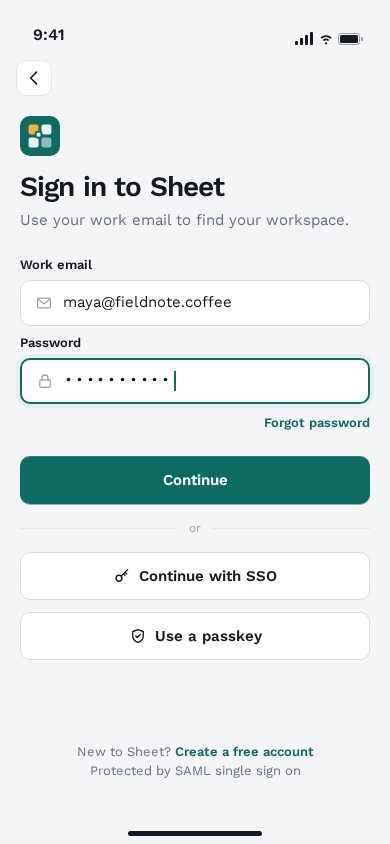
A sign in screen from Sheet, a spreadsheets and databases app template in an Enterprise style. Screen 2 of 25.
Sheet is a complete team database and spreadsheet app: welcome, sign in with SSO, starting a base from a template, a home of starred and recent bases, a base with its tables and views, a dense grid with typed fields and a frozen first column, an expanded record, adding a field, a formula editor, filters and sort, kanban and calendar views, a request form with its confirmation, search, record activity, a summary dashboard, a classic budget sheet with a formula bar, sharing, automations and an automation builder, a team plan, inbox, account and settings. Cool grey and white with deep spruce, saffron and pastel select tags.
| Detail | Value |
|---|---|
| Screen type | Sign in |
| App | Sheet: Spreadsheets and databases |
| Category | Productivity |
| Design language | Enterprise, light |
| Type | JetBrains Mono for headings, Work Sans for text |
| Colours | #f4f5f7 background, #ffffff surface, #141821 text, #666e7f text-muted, #0d6b62 accent, #ffffff accent-contrast, #f6b23c secondary, #e3e6eb border, #d6453d danger |
What this screen says
- Sign in to Sheet
- Use your work email to find your workspace.
- Work email
- maya@fieldnote.coffee
- Password
- ••••••••••
- Forgot password
- Continue
- or
- Continue with SSO
- Use a passkey
- New to Sheet? Create a free account
- Protected by SAML single sign on
Around it in Sheet
More sign in and sign up screens
- Tandem Sign in: Team chat, channels and huddles
- Shipyard Sign in: Issue tracking for product teams
- Canvas Sign in: Design files and comments on mobile
- Merge Sign in: Code, pull requests and reviews
- Query Sign in: AI answers with sources
- Glossa Sign in: Translate text, voice and camera
- Layout Sign in: Design anything from templates
- Tick Sign in: To-do lists and reminders
- Beacon Sign in: Find your devices and people
- Staffroom Sign in: HR, payslips and time off
- Slot Sign in: Booking links and meeting scheduling
- Tunnel Sign in: VPN and online privacy
Every productivity app sign in screen
What makes a good login screen
- Offer the fastest option first. Sign in with Apple, Google or a passkey takes one tap. If you support them, put them above the email form. Apple asks apps that use a third-party login like Google to also offer an equivalent privacy-focused option, such as Sign in with Apple.
- Separate sign in from sign up clearly. Use different headings and buttons, and a clear link to switch. People who already have an account should never end up creating a second one by accident.
- Use the right keyboard and autofill. Email fields should open the email keyboard and support password managers and one-time code autofill. Small details, big difference in how many people get through.
- Write errors that help. "That password doesn't match this email" is better than "Error 401". Keep what people typed so they only fix the part that was wrong.
The full login screen guide and every example
Remix Sheet free: describe your own app and it is drawn in this design. Or get its files from $10: Figma, React Native, SwiftUI, Flutter and HTML.