Templates · Sign in and sign up screens · Food app · Queue
Queue Sign in screen
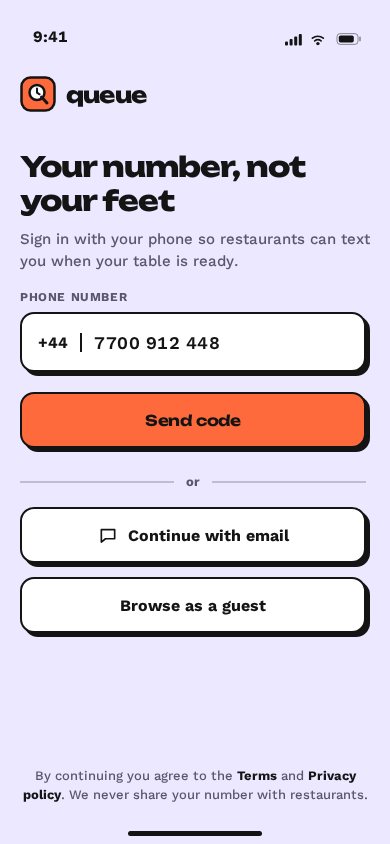
A sign in screen from Queue, a join the waitlist from anywhere app template in a Neubrutalism style. Screen 2 of 25.
Queue is a complete restaurant waitlist app: welcome, phone sign in and code, a nearby home with your live place and short waits, a map of wait pins, search with wait and party filters, a restaurant page with busy hours, party size, review and a joined screen, a live place in line with a countdown ring, drinks to pre-order and pay for, running late or leave the line, a table ready hold timer, wait alerts, wait trends, visit history and a visit, favourites, a host view, a Plus plan, notifications, profile and settings. Lavender and white with ink outlines, tomato, lime, yellow and sky.
| Detail | Value |
|---|---|
| Screen type | Sign in |
| App | Queue: Join the waitlist from anywhere |
| Category | Food |
| Design language | Neubrutalism, light |
| Type | Unbounded for headings, Work Sans for text |
| Colours | #ece8ff background, #ffffff surface, #141414 text, #5b5670 text-muted, #ff6a3d accent, #141414 accent-contrast, #d4ff3a secondary, #141414 border, #ffd23f warning, #7ad3ff info, #c43414 danger |
What this screen says
- queue
- Your number, not your feet
- Sign in with your phone so restaurants can text you when your table is ready.
- Phone number
- Send code
- or
- Continue with email
- Browse as a guest
- By continuing you agree to the Terms and Privacy policy. We never share your number with restaurants.
Around it in Queue
More sign in and sign up screens
- Ladle Sign in: Recipes and meal planning
- Pantry Sign in: Grocery delivery
- Brewly Sign in: Coffee ordering and loyalty
- Tabla Sign in: Tables worth dressing for
- Corked Sign in: Wine journal and cellar
- Crumb Sign in: Neighbourhood bakery
- Tiffin Sign in: Food delivery
- Courier Sign in: Food delivery driver app
- Picker Sign in: Grocery shopper app
- Nosh Sign in: Local restaurant reviews
- Buns Sign in: Burger chain ordering and deals
- Slice Sign in: Pizza ordering with a live tracker
What makes a good login screen
- Offer the fastest option first. Sign in with Apple, Google or a passkey takes one tap. If you support them, put them above the email form. Apple asks apps that use a third-party login like Google to also offer an equivalent privacy-focused option, such as Sign in with Apple.
- Separate sign in from sign up clearly. Use different headings and buttons, and a clear link to switch. People who already have an account should never end up creating a second one by accident.
- Use the right keyboard and autofill. Email fields should open the email keyboard and support password managers and one-time code autofill. Small details, big difference in how many people get through.
- Write errors that help. "That password doesn't match this email" is better than "Error 401". Keep what people typed so they only fix the part that was wrong.
The full login screen guide and every example
Remix Queue free: describe your own app and it is drawn in this design. Or get its files from $10: Figma, React Native, SwiftUI, Flutter and HTML.