Templates · Form and input screens · Education app · Quanta
Quanta Quiz screen
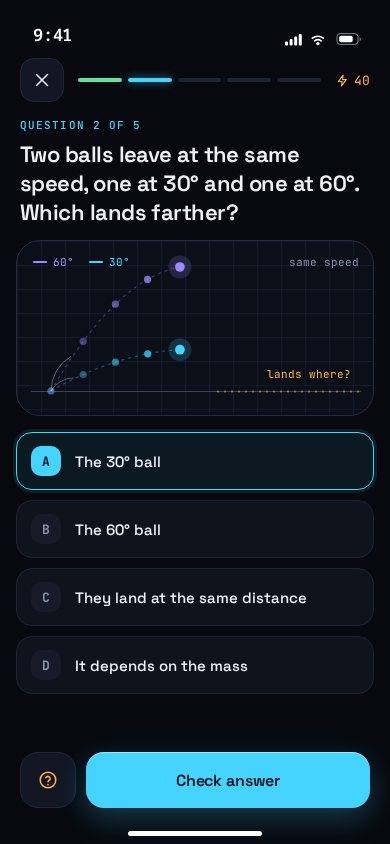
A form screen from Quanta, an interactive physics lessons app template in a Dark-first style. Screen 10 of 25.
Quanta is a complete physics learning app: welcome, a goal picker and sign in, a home with the lesson in progress, explore by topic, a course map, a lesson page, an interactive projectile simulation with sliders, an animated explainer, a quiz with feedback and a lesson complete screen, a live pendulum lab, a lab notebook and a results form, a formula sheet and formula page, progress stats, live tutor labs with booking and confirmation, a Plus plan, notifications, profile and settings. Ink black and graph paper with photon cyan, amber energy and magenta force.
| Detail | Value |
|---|---|
| Screen type | Form |
| App | Quanta: Interactive physics lessons |
| Category | Education |
| Design language | Dark-first, dark |
| Type | Instrument Serif for headings, Space Grotesk for text |
| Colours | #07090f background, #0f131c surface, #eef1f8 text, #8a93a8 text-muted, #45d4ff accent, #03121a accent-contrast, #ffb547 secondary, #1e2433 border, #ff5c9a danger |
What this screen says
- Question 2 of 5
- Two balls leave at the same speed, one at 30° and one at 60°. Which lands farther?
- 60°
- 30°
- same speed
- lands where?
- AThe 30° ball
- BThe 60° ball
- CThey land at the same distance
- DIt depends on the mass
- Check answer
Around it in Quanta
More form and input screens
- Stacks Renew: Borrow e-books and audiobooks from your library
- Penpal Correct: Language exchange chat
- Lexis Quiz: A word a day
- Cram New card: Exam prep and mock tests
- Quad Submit: University campus app
- Palm Quiz: Learn sign language
- Epoch Quiz: History on a timeline
- Wren Trace: Early reading for kids
- Proof Ask Proof: Maths tutor that shows its working
- Skim Your goal: Speed reading trainer
- Terra Quiz setup: Geography and flags quiz
- Gambit Play: Chess training
Every education app form screen
What makes a good form screen
- Ask only what you need. Every field is a reason to stop. Remove optional fields or move them to later.
- Labels above fields. Visible labels stay readable while people type; placeholder-only labels disappear.
- Use the right keyboard and input. Number pads for amounts, email keyboards for email, pickers for dates and autofill for addresses and codes.
- Validate as people go. Show problems next to the field when people leave it, in words that say how to fix them.
The full form screen guide and every example
Remix Quanta free: describe your own app and it is drawn in this design. Or get its files from $10: Figma, React Native, SwiftUI, Flutter and HTML.