Templates · Onboarding screens · Travel app · Piazza
Piazza Welcome screen
An onboarding screen from Piazza, a self-guided city walking tours app template in a Brutalist style. Screen 1 of 25.
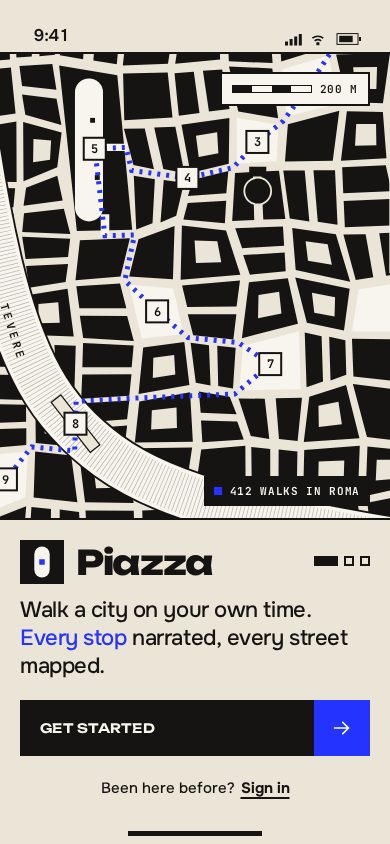
Piazza is a complete walking tour app: welcome, choose a city, sign in, a today screen with the walk in progress, explore and search, tour lists and a tour page, the full route map, a stop page, buying a tour and unlocking it, live walking with turn by turn, the audio guide, a photo spot camera, a finished walk with a rating, a build your own walk planner, saved tours, a passport of piazza stamps, walking stats, offline maps, notifications, the Piazza Pass plan, profile and settings. Travertine, ink black and one ultramarine route line.
| Detail | Value |
|---|---|
| Screen type | Onboarding |
| App | Piazza: Self-guided city walking tours |
| Category | Travel |
| Design language | Brutalist, light |
| Type | Unbounded for headings, Onest for text |
| Colours | #ebe5d8 background, #f8f5ee surface, #161412 text, #6e675c text-muted, #2433ff accent, #ffffff accent-contrast, #d6cdbc secondary, #161412 border, #e0401f danger |
What this screen says
- 200 m
- 412 walks in Roma
- Piazza
- Walk a city on your own time. Every stop narrated, every street mapped.
- Get started
- Been here before?Sign in
Around it in Piazza
More onboarding screens
- Hollow Welcome: Cabin and boutique stays
- Aloft Welcome: Flight tracker
- Pitch Welcome: Campsite booking and trip kit
- Hail Welcome: Ride hailing
- Volta Welcome: EV charging
- Museo Welcome: Museum guide
- Roamly Welcome: Trips, stays and experiences
- Jaunt Welcome: Bus, train and flight booking
- Spoke Welcome: Bike sharing
- Navara Welcome: Yacht charter
- Voya Welcome: Travel booking
- Wheelhouse Welcome: Driver app for ride hailing
Every travel app onboarding screen
What makes a good onboarding screen
- One idea per screen. Each screen should say one thing in a headline people can read in a second. If a screen needs a paragraph, it is doing too much.
- Personalise with a purpose. Ask a question only if the answer changes what people see next, like a goal, a level or an interest. Then show that the answer mattered.
- Explain permissions before asking. Show your own screen saying why you need notifications, location or the camera before the system prompt. People who understand the reason are more likely to allow it.
- Let people skip. A visible skip or "I'll do this later" respects returning users and the impatient. Make sure skipping still lands them somewhere useful.
The full onboarding screen guide and every example
Remix Piazza free: describe your own app and it is drawn in this design. Or get its files from $10: Figma, React Native, SwiftUI, Flutter and HTML.