Templates · Player, camera and editor screens · Fitness app · Pace
Pace Exercise screen
A media screen from Pace, a fitness tracker app template in a Playful style. Screen 7 of 21.
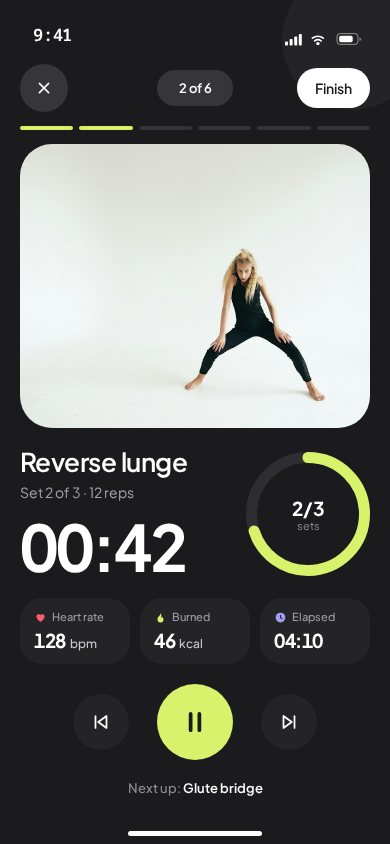
Pace is a complete fitness app: onboarding, sign in, goals, a health overview home, workouts, a guided exercise player, a finish screen, activity and steps, heart rate, sleep, a tracked run on a map, nutrition, programs, a weekly schedule, challenges, a Pro paywall, profile and settings. Lavender and acid lime over black and white, with big numbers and soft rounded cards.
| Detail | Value |
|---|---|
| Screen type | Media |
| App | Pace: Fitness tracker |
| Category | Health and fitness |
| Design language | Playful, light |
| Type | Plus Jakarta Sans |
| Colours | #f4f4f7 background, #ffffff surface, #1b1b1d text, #8e8e99 text-muted, #8f84f0 accent, #ffffff accent-contrast, #d8f36b secondary, #ececf1 border, #ff5d6c danger |
What this screen says
- 2 of 6
- Finish
- Reverse lunge
- Set 2 of 3 · 12 reps
- 2/3sets
- Heart rate 128bpm
- Burned 46kcal
- Elapsed 04:10
- Next up: Glute bridge
Around it in Pace
More player, camera and editor screens
- Unfold Player: Yoga and stretching
- Harbor Video session: Therapy and mood
- Plate Scan barcode: Calorie and macro tracker
- Vita Scan a report: Personal health record
- Forge Scan food: AI fitness and nutrition
- Lull Player: Sleep sounds and meditation
- Flexpass Video class: One membership, many studios
- Clinic Video visit: Find and book doctors
- Velo Countdown: Live and on-demand indoor cycling
- Vantage Watch faces: Sports watch companion
- Labwork Collect sample: Book blood tests and see results
- Segment Replay: Runs and rides with friends
Every fitness app media screen
What makes a good media player screen
- Content takes the space. Artwork, video or the camera view should fill most of the screen.
- Primary controls in the thumb zone. Play and pause, the shutter or the main tool, large and low on the screen.
- Show progress and position. A scrubber with elapsed and remaining time, or the step in a lesson.
- Hide secondary controls until needed. Lyrics, queue, filters and advanced tools can live behind a tap or a swipe.
The full media player screen guide and every example
Remix Pace free: describe your own app and it is drawn in this design. Or get its files from $10: Figma, React Native, SwiftUI, Flutter and HTML.