Templates · Onboarding screens · Lifestyle app · Muse
Muse Taste screen
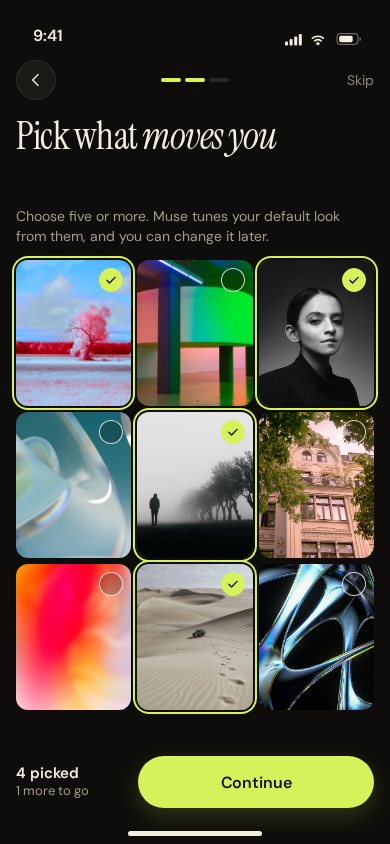
An onboarding screen from Muse, an AI image studio app template in a Dark-first style. Screen 2 of 25.
Muse is a complete AI image studio: welcome, a taste picker and sign in, a create feed of your jobs, a prompt composer with aspect, stylize, variety and mode, a live generating screen, the four image grid with upscale and vary, an upscaled image, region editing, an explore feed, search, a community image with its prompt, style codes and a style page, a creator profile, your archive, collections, usage of fast hours, plans with checkout and a confirmation, notifications, profile and settings. Warm ink black with ivory, chartreuse and lilac.
| Detail | Value |
|---|---|
| Screen type | Onboarding |
| App | Muse: AI image studio |
| Category | Lifestyle |
| Design language | Dark-first, dark |
| Type | Instrument Serif for headings, DM Sans for text |
| Colours | #0e0d0b background, #1c1a16 surface, #f3ede2 text, #8f877a text-muted, #d6f25b accent, #12110e accent-contrast, #b9a7ff secondary, #2a2722 border, #ff7a5c danger |
What this screen says
- Skip
- Pick what moves you
- Choose five or more. Muse tunes your default look from them, and you can change it later.
- 4 picked1 more to go
- Continue
Around it in Muse
More onboarding screens
- Torque Welcome: The workshop manual for your own car
- Vetly Welcome: Pet health record
- Stitch Welcome: A knitting companion drawn as one big knitting chart
- Roost Welcome: Your shared house, stuck to the fridge door
- Trellis Welcome: Vegetable garden planner
- Grain Welcome: Camera and photo editor
- Posy Welcome: Flower delivery and weekly stems
- Fern Welcome: Plant care
- Doorstep Welcome: Homes for sale and rent
- Rewear Welcome: Secondhand fashion marketplace
- Laced Welcome: Sneaker drops and raffles
- Gloss Welcome: Salon and spa booking
Every lifestyle app onboarding screen
What makes a good onboarding screen
- One idea per screen. Each screen should say one thing in a headline people can read in a second. If a screen needs a paragraph, it is doing too much.
- Personalise with a purpose. Ask a question only if the answer changes what people see next, like a goal, a level or an interest. Then show that the answer mattered.
- Explain permissions before asking. Show your own screen saying why you need notifications, location or the camera before the system prompt. People who understand the reason are more likely to allow it.
- Let people skip. A visible skip or "I'll do this later" respects returning users and the impatient. Make sure skipping still lands them somewhere useful.
The full onboarding screen guide and every example
Remix Muse free: describe your own app and it is drawn in this design. Or get its files from $10: Figma, React Native, SwiftUI, Flutter and HTML.