Templates · Sign in and sign up screens · Smart home app · Latch
Latch Verify screen
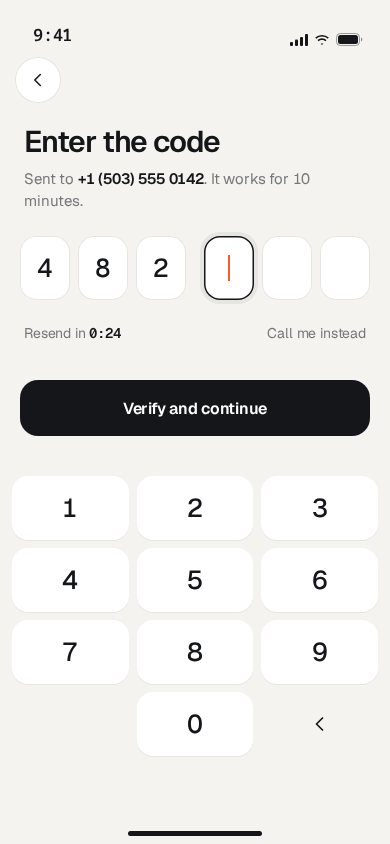
A sign in screen from Latch, a smart locks and guest access app template in a Minimal style. Screen 3 of 25.
Latch is a complete smart lock app: welcome, sign in, a home with a big lock dial, door details, a live auto-lock countdown, every door across two homes, a door activity log with entry details, guest keys with schedules, an access window picker, review and a sent key, keypad codes with a number pad, auto-lock and auto-unlock, lock health insights, adding and calibrating a lock, a plan, notifications, account and settings. Porcelain and white with ink, one vermilion for unlocked and a calm green for locked.
| Detail | Value |
|---|---|
| Screen type | Sign in |
| App | Latch: Smart locks and guest access |
| Category | Smart home |
| Design language | Minimal, light |
| Type | Geist Mono for headings, Geist for text |
| Colours | #f4f3ef background, #ffffff surface, #141619 text, #76777b text-muted, #ff5a28 accent, #ffebe3 accent-soft, #1d9a66 success, #d98a00 warning, #e7e5df border |
What this screen says
- Enter the code
- Sent to +1 (503) 555 0142. It works for 10 minutes.
- Resend in 0:24 Call me instead
- Verify and continue
Around it in Latch
More sign in and sign up screens
- Sundial Sign in: Solar panels and home battery
- Puddle Sign in: Garden watering and sprinklers
- Upkeep Sign in: Home maintenance calendar
- Kelvin Sign in: Climate and thermostat
- Glow Sign in: Light scenes and colour
- Tagged Sign in: Home inventory for insurance
- Lobby Sign in: Apartment building app
- Sweep Sign in: Robot vacuum and mop
- Dusk Sign in: Smart home scenarios
- Lumen Sign in: Smart home energy
- Abode Sign in: Smart home devices
- Boxed Sign in: Book movers and plan moving day
Every smart home app sign in screen
What makes a good login screen
- Offer the fastest option first. Sign in with Apple, Google or a passkey takes one tap. If you support them, put them above the email form. Apple asks apps that use a third-party login like Google to also offer an equivalent privacy-focused option, such as Sign in with Apple.
- Separate sign in from sign up clearly. Use different headings and buttons, and a clear link to switch. People who already have an account should never end up creating a second one by accident.
- Use the right keyboard and autofill. Email fields should open the email keyboard and support password managers and one-time code autofill. Small details, big difference in how many people get through.
- Write errors that help. "That password doesn't match this email" is better than "Error 401". Keep what people typed so they only fix the part that was wrong.
The full login screen guide and every example
Remix Latch free: describe your own app and it is drawn in this design. Or get its files from $10: Figma, React Native, SwiftUI, Flutter and HTML.