Templates · Paywall screens · Social app · Kindly
Kindly Plus screen
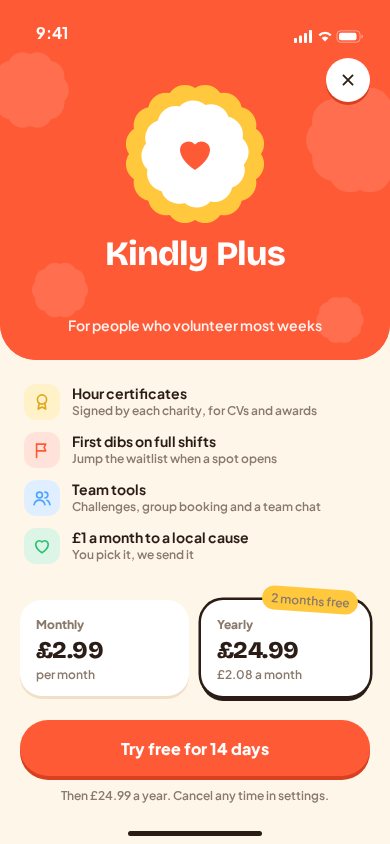
A paywall screen from Kindly, a volunteering near you app template in a Playful style. Screen 23 of 25.
Kindly is a complete local volunteering app: welcome, picking causes, sign in, a home with your next shift ticket, explore with a list and a map of rosette pins, an opportunity, a charity page, picking a shift, confirming and a booked screen, your shifts, a day of check in with a route and a QR pass, a live shift timer, a thank you note, logging hours, an impact dashboard, rosette badges, teams, a team page, a charity story, notifications, Kindly Plus, profile and settings. Warm oat and white with tomato, sunflower and four more cause colours.
| Detail | Value |
|---|---|
| Screen type | Paywall |
| App | Kindly: Volunteering near you |
| Category | Social |
| Design language | Playful, light |
| Type | Bricolage Grotesque for headings, Plus Jakarta Sans for text |
| Colours | #fff6ea background, #ffffff surface, #2b1d16 text, #8a7a6c text-muted, #ff5a36 accent, #ffffff accent-contrast, #ffc83d secondary, #f1e3cf border, #e5484d danger |
What this screen says
- Kindly Plus
- For people who volunteer most weeks
- Hour certificatesSigned by each charity, for CVs and awards
- First dibs on full shiftsJump the waitlist when a spot opens
- Team toolsChallenges, group booking and a team chat
- £1 a month to a local causeYou pick it, we send it
- Monthly£2.99per month
- 2 months free Yearly£24.99£2.08 a month
- Try free for 14 days
- Then £24.99 a year. Cancel any time in settings.
Around it in Kindly
More paywall screens
- Stoop Patron: Neighbourhood noticeboard
- Aura+: Moods with close friends
- Cohort Plus: Alumni and mentor network
- Kin Plus: Private family circle
- Confetti Plus: Party invites and RSVPs
- Ripple Plus: Voice notes social
- Duo Private: An app for two
- Soapbox Loud: Weekly debates and polls
- Ballot Plus: Settle it on paper
- Murmur Plus: Chat rooms for art lovers
- Wink Plus: Video first dating
- Snoot Plus: Social app for pets
Every social app paywall screen
What makes a good paywall screen
- Lead with the outcome, not the feature list. The headline should say what changes for the person: "Train smarter every week" beats "Unlock Premium". Three to five benefits underneath are enough; more turns into a wall of ticks nobody reads.
- Show the real price, period and trial terms. State the price, how often it renews and when a free trial turns into a charge, near the button. Apple's App Store guideline 3.1.2 asks subscription apps to make this clear before purchase, and Google Play has similar rules.
- One primary button. The main call to action should be impossible to miss and say what happens: "Start 7-day free trial" or "Subscribe for $4.99/month". A second plan choice is fine; a second competing button is not.
- Make the plans easy to compare. When you offer monthly and yearly, show both prices in the same unit (per month or per week) and mark the saving on the yearly plan in plain numbers, not just a badge.
The full paywall screen guide and every example
Remix Kindly free: describe your own app and it is drawn in this design. Or get its files from $10: Figma, React Native, SwiftUI, Flutter and HTML.