Templates · Paywall screens · Social app · Kin
Kin Plus screen
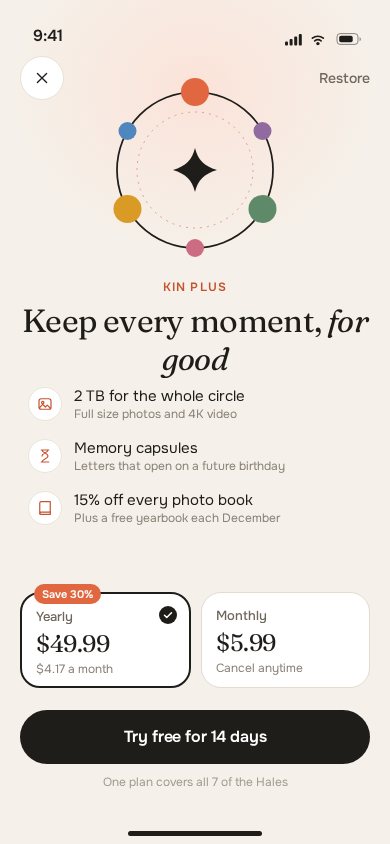
A paywall screen from Kin, a private family circle app template in a Minimal style. Screen 22 of 25.
Kin is a complete private family app: welcome, starting a circle, sign in and a code, a home built around the family ring with who is where, moments with photos, milestones and comments, posting a moment, shared albums, an album grid and a photo viewer, a live family map, member pages, a shared calendar and events with who is bringing what, a family chat with voice notes, invites, search, a Year in Kin dashboard, ordering a printed photo book with confirmation, Kin Plus, notifications, your profile and privacy settings. Linen and white with soft ink, a clay accent and one gentle colour per person.
| Detail | Value |
|---|---|
| Screen type | Paywall |
| App | Kin: Private family circle |
| Category | Social |
| Design language | Minimal, light |
| Type | Fraunces for headings, Onest for text |
| Colours | #f5f1ea background, #ffffff surface, #1f1d1a text, #8a8177 text-muted, #e0673f accent, #fbe3d9 accent-soft, #5f8a6a secondary, #e8e1d6 border, #c4532e danger |
What this screen says
- Restore
- KIN PLUS
- Keep every moment, for good
- 2 TB for the whole circleFull size photos and 4K video
- Memory capsulesLetters that open on a future birthday
- 15% off every photo bookPlus a free yearbook each December
- Save 30%Yearly$49.99
- $4.17 a month
- Monthly$5.99
- Cancel anytime
- Try free for 14 days
- One plan covers all 7 of the Hales
Around it in Kin
More paywall screens
- Ballot Plus: Settle it on paper
- Murmur Plus: Chat rooms for art lovers
- Wink Plus: Video first dating
- Snoot Plus: Social app for pets
- Huddle Plus: Interest groups and meetups
- Glade Plus: Photo and clip social network
- Onair Plus: Live streaming
- Drift Plus: Reels and voice rooms
- Glitz VIP: Party live streaming
- Hearth Plus: Messenger for trips and circles
- Chirp Plus: Messenger with file sharing
- Banter Plus: Live messenger
Every social app paywall screen
What makes a good paywall screen
- Lead with the outcome, not the feature list. The headline should say what changes for the person: "Train smarter every week" beats "Unlock Premium". Three to five benefits underneath are enough; more turns into a wall of ticks nobody reads.
- Show the real price, period and trial terms. State the price, how often it renews and when a free trial turns into a charge, near the button. Apple's App Store guideline 3.1.2 asks subscription apps to make this clear before purchase, and Google Play has similar rules.
- One primary button. The main call to action should be impossible to miss and say what happens: "Start 7-day free trial" or "Subscribe for $4.99/month". A second plan choice is fine; a second competing button is not.
- Make the plans easy to compare. When you offer monthly and yearly, show both prices in the same unit (per month or per week) and mark the saving on the yearly plan in plain numbers, not just a badge.
The full paywall screen guide and every example
Remix Kin free: describe your own app and it is drawn in this design. Or get its files from $10: Figma, React Native, SwiftUI, Flutter and HTML.