Templates · Detail screens · Social app · Kin
Kin Moment screen
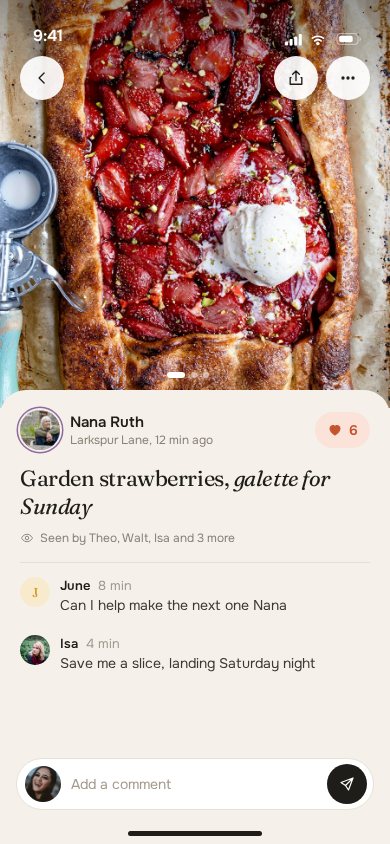
A detail screen from Kin, a private family circle app template in a Minimal style. Screen 7 of 25.
Kin is a complete private family app: welcome, starting a circle, sign in and a code, a home built around the family ring with who is where, moments with photos, milestones and comments, posting a moment, shared albums, an album grid and a photo viewer, a live family map, member pages, a shared calendar and events with who is bringing what, a family chat with voice notes, invites, search, a Year in Kin dashboard, ordering a printed photo book with confirmation, Kin Plus, notifications, your profile and privacy settings. Linen and white with soft ink, a clay accent and one gentle colour per person.
| Detail | Value |
|---|---|
| Screen type | Detail |
| App | Kin: Private family circle |
| Category | Social |
| Design language | Minimal, light |
| Type | Fraunces for headings, Onest for text |
| Colours | #f5f1ea background, #ffffff surface, #1f1d1a text, #8a8177 text-muted, #e0673f accent, #fbe3d9 accent-soft, #5f8a6a secondary, #e8e1d6 border, #c4532e danger |
What this screen says
- Nana Ruth
- Larkspur Lane, 12 min ago
- Garden strawberries, galette for Sunday
- Seen by Theo, Walt, Isa and 3 more
- June 8 min
- Can I help make the next one Nana
- Isa 4 min
- Save me a slice, landing Saturday night
- Add a comment
Around it in Kin
More detail screens
- Vista Post: Photos, stories and reels
- Flick Sound: Short video feed
- Squawk Post: Short posts and live conversation
- Agora Post: Communities, threads and votes
- Spark Profile: Swipe dating
- Candid Post: One real photo a day
- Blink Chat: Camera chat and stories
- Cipher Chat: Encrypted private messenger
- Commons Post: Friends, groups and events
- Tether Member: Family location and safety
- Facet Contact: Video calls with family and friends
- Stoop Lost cat: Neighbourhood noticeboard
Every social app detail screen
What makes a good detail screen
- Lead with what identifies the item. A large image or title, the price or status, and the key facts at the top. People should know they are in the right place at a glance.
- Keep the main action visible. A sticky bottom button for Add to cart, Book or Play stays reachable while people scroll through details.
- Order information by importance. The facts that decide the choice come first; reviews, specifications and fine print further down.
- Use progressive disclosure. Long descriptions, specifications and policies can expand on tap rather than filling the screen.
The full detail screen guide and every example
Remix Kin free: describe your own app and it is drawn in this design. Or get its files from $10: Figma, React Native, SwiftUI, Flutter and HTML.