Templates · Sign in and sign up screens · Fitness app · Kilo
Kilo Sign in screen
A sign in screen from Kilo, a strength training log app template in a Brutalist style. Screen 2 of 25.
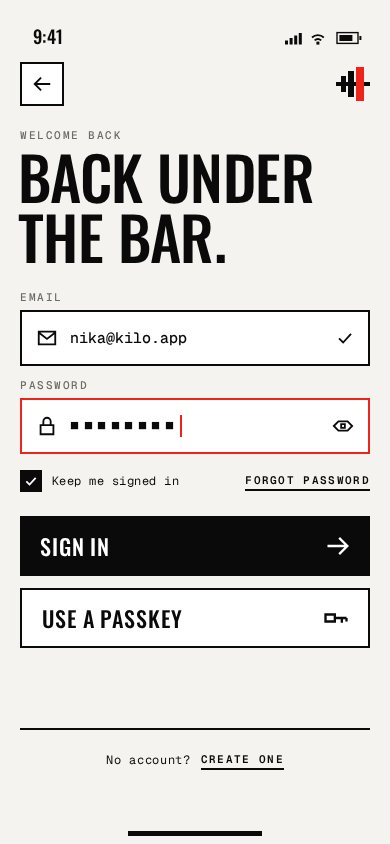
Kilo is a complete lifting log: welcome, sign in, a short setup, today's workout, a live session with a set table and a rest timer, a plate calculator that draws the loaded bar, an exercise library, lift history, a finished session and a new record. Around it sit history, records, programs, weekly volume and body stats, a weigh in, a Pro plan, notifications, profile and settings. Everything is kilograms, reps and big numbers.
| Detail | Value |
|---|---|
| Screen type | Sign in |
| App | Kilo: Strength training log |
| Category | Health and fitness |
| Design language | Brutalist, light |
| Type | Oswald |
| Colours | #f4f3ef background, #ffffff surface, #0a0a0a text, #6e6c66 text-muted, #f0231b accent, #ffffff accent-contrast, #0a0a0a secondary, #0a0a0a border, #f0231b danger |
What this screen says
- Welcome back
- Back under
- the bar.
- nika@kilo.app
- Password
- ■■■■■■■■
- Keep me signed in
- Forgot password
- Sign in
- Use a passkey
- No account?Create one
Around it in Kilo
More sign in and sign up screens
- Jab Sign in: Boxing workouts with a smart bag
- Exhale Sign in: Breathwork sessions
- Bump Create account: Pregnancy week by week
- Locker Sign in: Gym membership and class booking
- Morsel Sign in: AI calorie tracker
- Dew Sign in: AI skin scan and routine
- Cradle Sign in: Baby tracker
- Medly Sign in: Doctor on call
- Donor Sign in: Blood donation, counted drop by drop
- Unfold Sign in: Yoga and stretching
- Cyra Sign in: Cycle tracker
- Harbor Sign in: Therapy and mood
Every fitness app sign in screen
What makes a good login screen
- Offer the fastest option first. Sign in with Apple, Google or a passkey takes one tap. If you support them, put them above the email form. Apple asks apps that use a third-party login like Google to also offer an equivalent privacy-focused option, such as Sign in with Apple.
- Separate sign in from sign up clearly. Use different headings and buttons, and a clear link to switch. People who already have an account should never end up creating a second one by accident.
- Use the right keyboard and autofill. Email fields should open the email keyboard and support password managers and one-time code autofill. Small details, big difference in how many people get through.
- Write errors that help. "That password doesn't match this email" is better than "Error 401". Keep what people typed so they only fix the part that was wrong.
The full login screen guide and every example
Remix Kilo free: describe your own app and it is drawn in this design. Or get its files from $10: Figma, React Native, SwiftUI, Flutter and HTML.