Templates · Paywall screens · Lifestyle app · Inked
Inked Plus screen
A paywall screen from Inked, a tattoo artists and bookings app template in a Dark-first style. Screen 23 of 25.
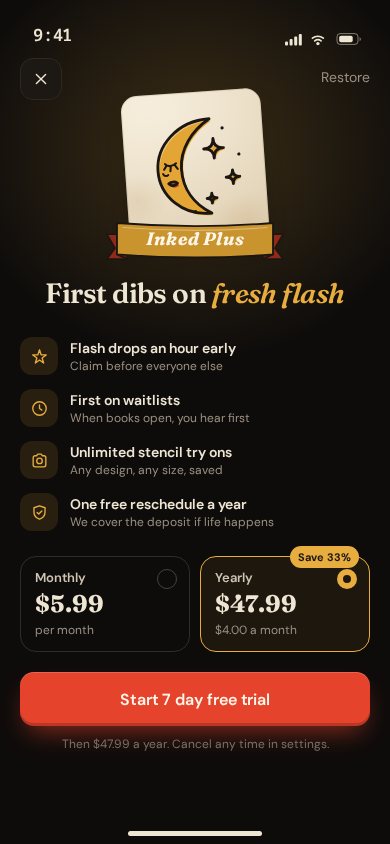
Inked is a complete tattoo app: welcome and style picks, sign in, a home with your next session and today's flash drop, explore and a studio map, artist pages with a portfolio, a healed piece, a flash sheet and a flash design, a stencil try on, a custom request, booking a slot, paying the deposit and the confirmation, appointments and session prep, messages with sketch approval, an aftercare tracker, your collection, notifications, Inked Plus, profile and settings. Warm ink black and bone with flash red, mustard and jade.
| Detail | Value |
|---|---|
| Screen type | Paywall |
| App | Inked: Tattoo artists and bookings |
| Category | Lifestyle |
| Design language | Dark-first, dark |
| Type | Fraunces for headings, DM Sans for text |
| Colours | #0e0c0b background, #181411 surface, #efe5d3 text, #9a8f80 text-muted, #e5432c accent, #fff6ea accent-contrast, #efe4cf secondary, #2a231d border, #e8ad3f warning, #4fa386 success |
What this screen says
- Restore
- Inked Plus
- First dibs on fresh flash
- Flash drops an hour earlyClaim before everyone else
- First on waitlistsWhen books open, you hear first
- Unlimited stencil try onsAny design, any size, saved
- One free reschedule a yearWe cover the deposit if life happens
- Monthly$5.99per month
- Save 33%Yearly$47.99$4.00 a month
- Start 7 day free trial
- Then $47.99 a year. Cancel any time in settings.
Around it in Inked
More paywall screens
- Trove Plus: Visual ideas and boards
- Vidi Plus: Video platform for creators
- Roll Plus: Photo library and backups
- Splice Pro: Video editor for short clips
- Blush Plus: Beauty and makeup shopping
- Flatpack Plus: Furniture store with room previews
- Column Subscribe: Newsletters and independent writers
- Fetch Plus: Dog walkers and pet sitters
- Forecourt Cover: Buy and sell used cars
- Tower Plans: Mobile plan, data and bills
- Haul Club: Bargain fashion and finds
- Muse Plans: AI image studio
Every lifestyle app paywall screen
What makes a good paywall screen
- Lead with the outcome, not the feature list. The headline should say what changes for the person: "Train smarter every week" beats "Unlock Premium". Three to five benefits underneath are enough; more turns into a wall of ticks nobody reads.
- Show the real price, period and trial terms. State the price, how often it renews and when a free trial turns into a charge, near the button. Apple's App Store guideline 3.1.2 asks subscription apps to make this clear before purchase, and Google Play has similar rules.
- One primary button. The main call to action should be impossible to miss and say what happens: "Start 7-day free trial" or "Subscribe for $4.99/month". A second plan choice is fine; a second competing button is not.
- Make the plans easy to compare. When you offer monthly and yearly, show both prices in the same unit (per month or per week) and mark the saving on the yearly plan in plain numbers, not just a badge.
The full paywall screen guide and every example
Remix Inked free: describe your own app and it is drawn in this design. Or get its files from $10: Figma, React Native, SwiftUI, Flutter and HTML.