Templates · Detail screens · Travel app · Hail
Hail Receipt screen
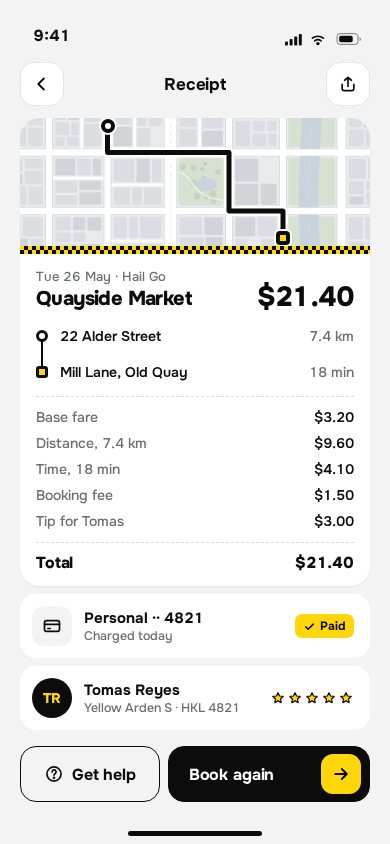
A detail screen from Hail, a ride hailing app template in a Minimal style. Screen 15 of 25.
Hail is a complete ride hailing app: welcome, phone sign in and code, a map home with saved places, destination search, setting the pickup pin, choosing a ride, scheduling, matching, the driver on the way, messages, the trip itself, safety tools, arrival with rating and tip, the receipt, ride history, scheduled rides, saved places, a wallet with funds and cards, a pass, monthly stats, notifications, account and settings. One taxi yellow for whatever is selected, live or yours.
| Detail | Value |
|---|---|
| Screen type | Detail |
| App | Hail: Ride hailing |
| Category | Travel |
| Design language | Minimal, light |
| Type | Onest |
| Colours | #f3f3f4 background, #ffffff surface, #0c0c0d text, #6b6d73 text-muted, #ffd60a accent, #0c0c0d accent-contrast, #e9eaec secondary, #e4e5e8 border, #e5484d danger |
What this screen says
- Receipt
- Tue 26 May · Hail Go
- Quayside Market
- 22 Alder Street7.4 km
- Mill Lane, Old Quay18 min
- Base fare$3.20
- Distance, 7.4 km$9.60
- Time, 18 min$4.10
- Booking fee$1.50
- Tip for Tomas$3.00
- Total $21.40
- Personal ·· 4821
- Charged today
- Paid
- TR
- Tomas Reyes
- Yellow Arden S · HKL 4821
- Get help
- Book again
Around it in Hail
More detail screens
- Scooter: E-scooter and e-bike rental
- Nomad Country: Travel eSIM data plans
- Tern Sailing: Ferry and island hopping
- Berth Journey: Night trains and sleeper cabins
- Caravan Van: Campervan rental and road trips
- Layover Flight: Airport guide, gates and lounges
- Permit Passport: Visas and travel documents wallet
- Backroad Trip: Road trip planner with stops
- Bunk Hostel: Hostels and backpacker meetups
- Piazza Tour: Self-guided city walking tours
- Fjord Port day: Cruise companion on board
- Atlas Place: Maps and navigation
Every travel app detail screen
What makes a good detail screen
- Lead with what identifies the item. A large image or title, the price or status, and the key facts at the top. People should know they are in the right place at a glance.
- Keep the main action visible. A sticky bottom button for Add to cart, Book or Play stays reachable while people scroll through details.
- Order information by importance. The facts that decide the choice come first; reviews, specifications and fine print further down.
- Use progressive disclosure. Long descriptions, specifications and policies can expand on tap rather than filling the screen.
The full detail screen guide and every example
Remix Hail free: describe your own app and it is drawn in this design. Or get its files from $10: Figma, React Native, SwiftUI, Flutter and HTML.