Templates · Live tracking screens · Fitness app · Fasten
Fasten Water screen
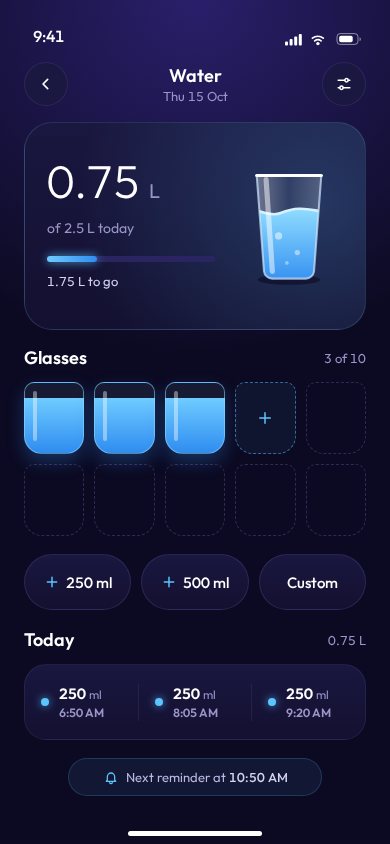
A tracking screen from Fasten, an intermittent fasting app template in a Dark-first style. Screen 16 of 25.
Fasten is a complete intermittent fasting app: welcome, sign in, a code, a goal and an eating window, a home built around a glowing timer ring, the stages of the fast on a timeline, ending a fast and its summary, fasting plans, a meal log, water, a weight trend, history on a calendar, insights, notifications, a Plus plan, profile and settings. One orange to magenta gradient marks the fast itself: the ring, the stage you are in and every main button.
| Detail | Value |
|---|---|
| Screen type | Tracking |
| App | Fasten: Intermittent fasting |
| Category | Health and fitness |
| Design language | Dark-first, dark |
| Type | Outfit |
| Colours | #0c0a22 background, #17143a surface, #ffffff text, #9a95c9 text-muted, #ff8a4c accent, #25082b accent-contrast, #f0338f secondary, #2a2658 border, #ff5d73 danger |
What this screen says
- Water
- Thu 15 Oct
- 0.75 L
- of 2.5 L today
- 1.75 L to go
- Glasses
- 3 of 10
- 250 ml 500 ml Custom
- Today
- 250 ml6:50 AM
- 250 ml8:05 AM
- 250 ml9:20 AM
- Next reminder at 10:50 AM
Around it in Fasten
More live tracking screens
- Reformer In class: Pilates studio booking
- Sip Workout: Water intake and hydration
- Mend Rest: Physio and rehab exercises
- Tabata Get ready: HIIT interval timer
- Jab Live round: Boxing workouts with a smart bag
- Exhale Breathe: Breathwork sessions
- Bump Kick counter: Pregnancy week by week
- Locker Live class: Gym membership and class booking
- Dew Step: AI skin scan and routine
- Cradle Feeding timer: Baby tracker
- Donor Recovery: Blood donation, counted drop by drop
- Unfold Breath timer: Yoga and stretching
Every fitness app tracking screen
What makes a good live tracking screen
- The live number is the hero. Arrival time, pace, distance or time left, in large type at the top or centre.
- Show status in words. "Driver is 3 minutes away" or "Halfway there" alongside the map or chart.
- Make it readable while moving. Large numbers, high contrast and big buttons for pause, stop or call.
- Keep updates calm. Smooth movement on the map and steady numbers; jumpy updates feel broken.
The full live tracking screen guide and every example
Remix Fasten free: describe your own app and it is drawn in this design. Or get its files from $10: Figma, React Native, SwiftUI, Flutter and HTML.