Templates · Profile screens · Social app · Drift
Drift Profile screen
A profile screen from Drift, a reels and voice rooms app template in a Dark-first style. Screen 16 of 25.
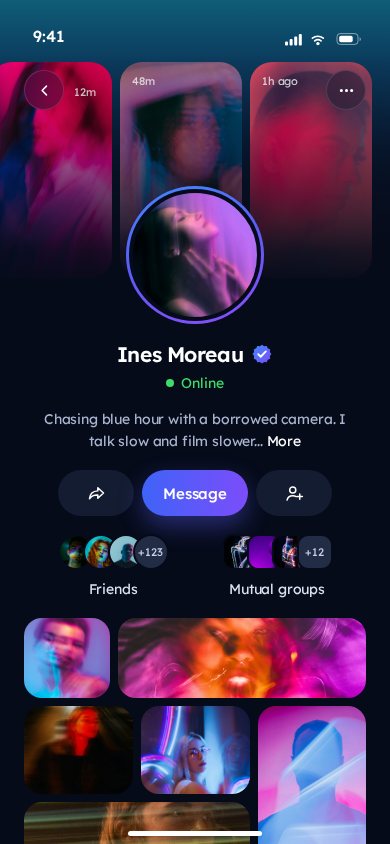
Drift is a complete social app: onboarding, sign in and a code check, picking interests, a home feed with stories and live rooms, a full-bleed reel viewer with comments, explore, voice rooms with a grid of speakers and a reaction bar, starting a room, a camera and post flow, profiles with a photo mosaic, friends and groups, messages, notifications, insights, a plan screen and settings. Midnight navy with a teal glow, an indigo to violet gradient and frosted glass controls.
| Detail | Value |
|---|---|
| Screen type | Profile |
| App | Drift: Reels and voice rooms |
| Category | Social |
| Design language | Dark-first, dark |
| Type | Lexend |
| Colours | #060b1a background, #121a2e surface, #ffffff text, #96a2bf text-muted, #5b5cf6 accent, #ffffff accent-contrast, #1fb6c9 secondary, #222c45 border, #f0343c danger |
What this screen says
- 12m
- 48m
- 1h ago
- Ines Moreau
- Online
- Chasing blue hour with a borrowed camera. I talk slow and film slower... More
- Message
- Friends
- Mutual groups
Around it in Drift
More profile screens
- Cipher Contact info: Encrypted private messenger
- Commons Profile: Friends, groups and events
- Tether Profile: Family location and safety
- Facet You: Video calls with family and friends
- Stoop Neighbour: Neighbourhood noticeboard
- Aura Profile: Moods with close friends
- Kindly Profile: Volunteering near you
- Cohort Alum: Alumni and mentor network
- Kin Member: Private family circle
- Confetti Profile: Party invites and RSVPs
- Ripple Profile: Voice notes social
- Duo Us: An app for two
Every social app profile screen
What makes a good profile screen
- Lead with identity. Photo, name and one line about the person at the top. It confirms whose profile this is.
- Show meaningful stats. Two to four numbers that matter in this app, like workouts, followers, books read or streak.
- Make editing obvious for the owner. An Edit profile button near the top, shown only on your own profile.
- Organise content with tabs. Posts, activity, saved or achievements as tabs keep a long profile tidy.
The full profile screen guide and every example
Remix Drift free: describe your own app and it is drawn in this design. Or get its files from $10: Figma, React Native, SwiftUI, Flutter and HTML.