Templates · List and feed screens · Lifestyle app · Dorm
Dorm Move in screen
A list screen from Dorm, a find student housing app template in a Gen Z style. Screen 21 of 25.
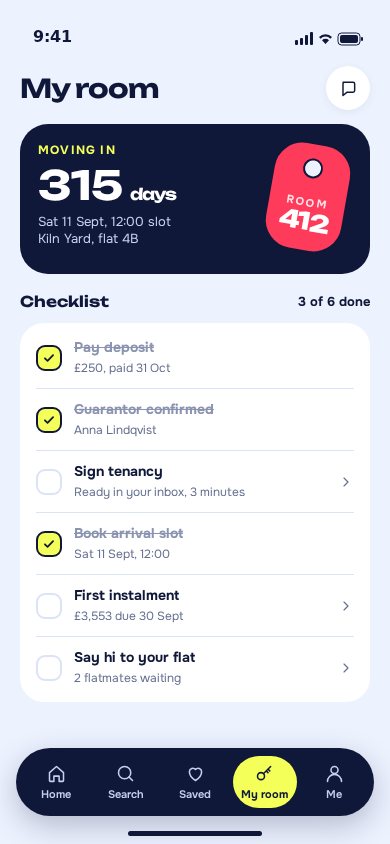
Dorm is a complete student housing app: welcome, pick your university, sign in, a home that picks up your application, search with filters, a price pin map, a property page with room types, amenities and commute times, a room page with a floor plan, a virtual tour, a commute planner, compare, saved places, a three step application, deposit checkout and a booking confirmed key fob, flatmate matching and a flatmate profile, chat with the property team, payments, a move in checklist, Dorm Plus, notifications, profile and settings. Sky milk and white with cherry, lemon, lilac and ink.
| Detail | Value |
|---|---|
| Screen type | List |
| App | Dorm: Find student housing |
| Category | Lifestyle |
| Design language | Gen Z, light |
| Type | Unbounded for headings, Onest for text |
| Colours | #edf2ff background, #ffffff surface, #10183a text, #66708f text-muted, #ff3b5c accent, #ffffff accent-contrast, #f4ff5a secondary, #dbe3f6 border, #22c58b success, #c9b8ff tertiary |
What this screen says
- My room
- Moving in
- 315 days
- Sat 11 Sept, 12:00 slot
- Kiln Yard, flat 4B
- Room412
- Checklist3 of 6 done
- Pay deposit£250, paid 31 Oct
- Guarantor confirmedAnna Lindqvist
- Sign tenancyReady in your inbox, 3 minutes
- Book arrival slotSat 11 Sept, 12:00
- First instalment£3,553 due 30 Sept
- Say hi to your flat2 flatmates waiting
- Home
- Search
- Saved
- Me
Around it in Dorm
More list and feed screens
- Posy Shop: Flower delivery and weekly stems
- Fern Reminders: Plant care
- Doorstep Results: Homes for sale and rent
- Rewear Offers: Secondhand fashion marketplace
- Laced Calendar: Sneaker drops and raffles
- Gloss Salons: Salon and spa booking
- Vow Notifications: Wedding planner
- Drizzle 10 day: Weather with living skies
- Byline Sections: Daily news reader
- Shelf Notifications: Reading tracker and book club
- Marquee Reviews: Cinema tickets and watchlist
- Handy Choose a pro: Home services
Every lifestyle app list screen
What makes a good list screen
- Show what people need to decide. Each row should carry just enough to choose: a title, one or two details and a status. Everything else belongs on the detail screen.
- Keep rows consistent. The same information in the same place on every row lets people scan down a column instead of reading each item.
- Group with headings. Dates, categories or status headings break long lists into chunks people can skip through.
- Make common actions quick. Swipe actions, a checkbox or a heart on the row save opening the item for small tasks.
The full list screen guide and every example
Remix Dorm free: describe your own app and it is drawn in this design. Or get its files from $10: Figma, React Native, SwiftUI, Flutter and HTML.