Templates · Paywall screens · Finance app · Divvy
Divvy Plus screen
A paywall screen from Divvy, a split bills with friends app template in a Neubrutalism style. Screen 23 of 25.
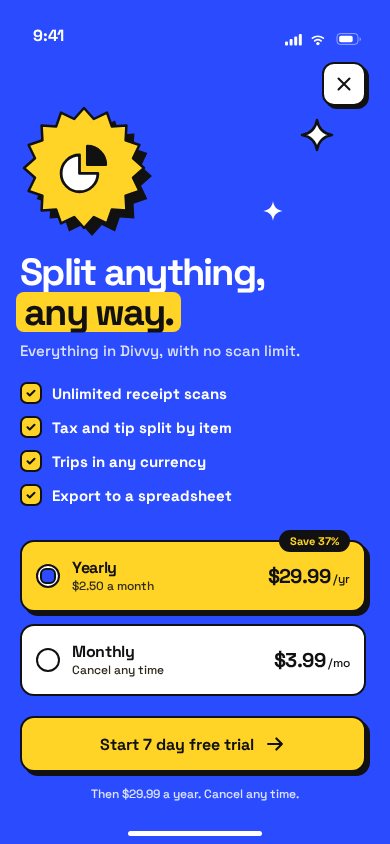
Divvy is a complete bill splitting app: welcome, sign in, a home with what you owe and are owed, groups, adding an expense with a keypad, splitting evenly or item by item from a scanned receipt, group balances, settling up with a review and a confirmation, activity, friends, spending stats, a plan, profile and settings. Bright yellow and cream with black outlines, hard shadows and one cobalt blue.
| Detail | Value |
|---|---|
| Screen type | Paywall |
| App | Divvy: Split bills with friends |
| Category | Finance |
| Design language | Neubrutalism, light |
| Type | Space Grotesk |
| Colours | #fff8e1 background, #ffffff surface, #111111 text, #6b6453 text-muted, #ffd426 accent, #111111 accent-contrast, #2b4bff secondary, #111111 border, #ff5436 danger |
What this screen says
- Split anything,
- any way.
- Everything in Divvy, with no scan limit.
- Unlimited receipt scans
- Tax and tip split by item
- Trips in any currency
- Export to a spreadsheet
- Yearly
- $2.50 a month
- $29.99 /yrSave 37%
- Monthly
- Cancel any time
- $3.99 /mo
- Start 7 day free trial
- Then $29.99 a year. Cancel any time.
Around it in Divvy
More paywall screens
- Accrue Plus: Retirement and pension planner
- Levy Pro: Taxes for freelancers
- Bullion Reserve: Gold and silver savings
- Wage Plus: Get paid as you work
- Keystone Pro: Mortgage and home loan tracker
- Rebate Plus: Cashback card and rewards
- Aegis Plus: Insurance policies and claims
- Till Plus: Card reader and sales for small shops
- Strike Pro: Options trading
- Prism Pro: Net worth across every account
- Folio Gold: Stocks and ETF investing
- Halden Metal: Premium neobank
Every finance app paywall screen
What makes a good paywall screen
- Lead with the outcome, not the feature list. The headline should say what changes for the person: "Train smarter every week" beats "Unlock Premium". Three to five benefits underneath are enough; more turns into a wall of ticks nobody reads.
- Show the real price, period and trial terms. State the price, how often it renews and when a free trial turns into a charge, near the button. Apple's App Store guideline 3.1.2 asks subscription apps to make this clear before purchase, and Google Play has similar rules.
- One primary button. The main call to action should be impossible to miss and say what happens: "Start 7-day free trial" or "Subscribe for $4.99/month". A second plan choice is fine; a second competing button is not.
- Make the plans easy to compare. When you offer monthly and yearly, show both prices in the same unit (per month or per week) and mark the saving on the yearly plan in plain numbers, not just a badge.
The full paywall screen guide and every example
Remix Divvy free: describe your own app and it is drawn in this design. Or get its files from $10: Figma, React Native, SwiftUI, Flutter and HTML.