Templates · Paywall screens · Finance app · Rebate
Rebate Plus screen
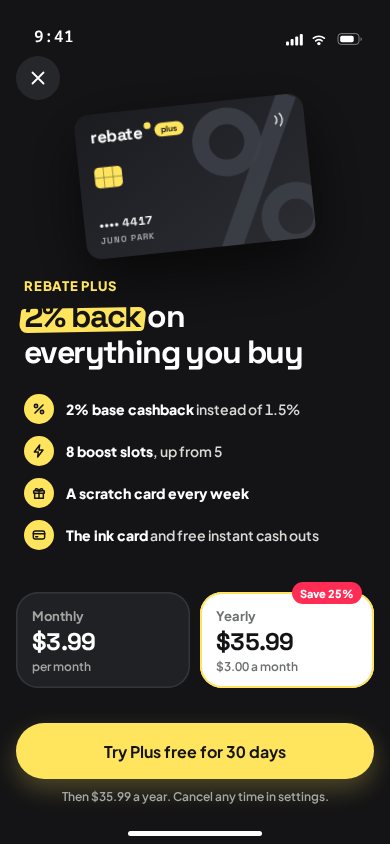
A paywall screen from Rebate, a cashback card and rewards app template in a Gen Z style. Screen 23 of 25.
Rebate is a complete cashback card app: welcome, how it works, pick your card, a text code, a home with your stash and live boosts, the card with freeze and limits, activity, a purchase with its cashback split, boosts to browse and switch on, search, a map of boosts nearby, a stash dashboard, cash out with review and success, quests with a live progress map, a scratch card, receipt scanning, invites, notifications, a Plus plan, profile and settings. Off white and white with cherry, butter yellow and ink.
| Detail | Value |
|---|---|
| Screen type | Paywall |
| App | Rebate: Cashback card and rewards |
| Category | Finance |
| Design language | Gen Z, light |
| Type | Space Grotesk for headings, Plus Jakarta Sans for text |
| Colours | #f1f2ee background, #ffffff surface, #141416 text, #6c706d text-muted, #ff2d55 accent, #ffffff accent-contrast, #ffe45e secondary, #e3e4df border, #e0173f danger |
What this screen says
- Rebate Plus
- 2% back on
- everything you buy
- 2% base cashback instead of 1.5%
- 8 boost slots, up from 5
- A scratch card every week
- The ink card and free instant cash outs
- Monthly $3.99per month
- Save 25%Yearly $35.99$3.00 a month
- Try Plus free for 30 days
- Then $35.99 a year. Cancel any time in settings.
Around it in Rebate
More paywall screens
- Remit Plus: International money transfer
- Piggy Family: Pocket money for kids
- Settle Plus: Bill payments and banking
- Fathom Plus: Crypto wallet
- Marigold Black: Mobile banking
- Zentra Pro: Crypto trading
- Payday Plans: Payroll for small teams
- Roundup Plans: Invest your spare change
- Envelope Membership: Give every dollar a job
- Recur Plus: Track and cancel subscriptions
- Keel Plus: Corporate cards and spend controls
- Giftly Reserve: Gift cards, sent and stored
Every finance app paywall screen
What makes a good paywall screen
- Lead with the outcome, not the feature list. The headline should say what changes for the person: "Train smarter every week" beats "Unlock Premium". Three to five benefits underneath are enough; more turns into a wall of ticks nobody reads.
- Show the real price, period and trial terms. State the price, how often it renews and when a free trial turns into a charge, near the button. Apple's App Store guideline 3.1.2 asks subscription apps to make this clear before purchase, and Google Play has similar rules.
- One primary button. The main call to action should be impossible to miss and say what happens: "Start 7-day free trial" or "Subscribe for $4.99/month". A second plan choice is fine; a second competing button is not.
- Make the plans easy to compare. When you offer monthly and yearly, show both prices in the same unit (per month or per week) and mark the saving on the yearly plan in plain numbers, not just a badge.
The full paywall screen guide and every example
Remix Rebate free: describe your own app and it is drawn in this design. Or get its files from $10: Figma, React Native, SwiftUI, Flutter and HTML.