Templates · Detail screens · Travel app · Detour
Detour Routes screen
A detail screen from Detour, a community driving navigation app template in a Playful style. Screen 8 of 25.
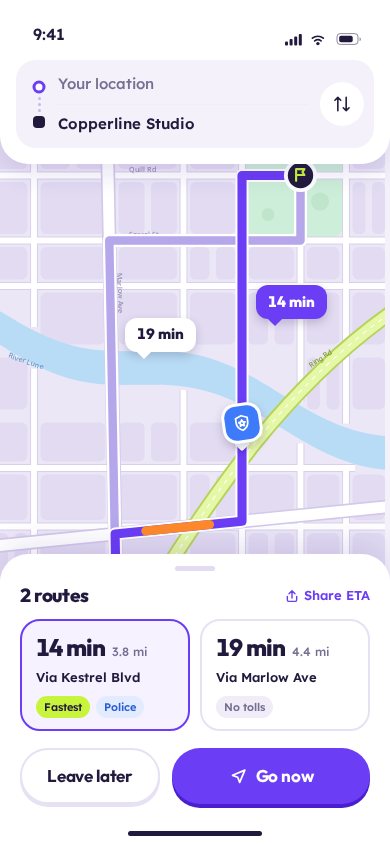
Detour is a complete community driving app: welcome, home and work setup, sign in, a live map with driver reports, search with categories, fuel prices and a station page, route options, a tilted turn by turn drive with a police alert, a report sheet, a hazard report and its thank you, arrival, sharing your ETA, planned drives with a leave by chart, driving stats, driver levels, an inbox, profile, car icons, voices, a Plus plan and settings. Lavender, grape and lime with a bright sticker colour for every kind of report.
| Detail | Value |
|---|---|
| Screen type | Detail |
| App | Detour: Community driving navigation |
| Category | Travel |
| Design language | Playful, light |
| Type | Outfit for headings, Lexend for text |
| Colours | #f4f1fa background, #ffffff surface, #221a3d text, #776f92 text-muted, #6b3df5 accent, #ffffff accent-contrast, #c8f53c secondary, #e7e1f4 border, #ff5a4e danger |
What this screen says
- 14 min
- 19 min
- Your location
- Copperline Studio
- 2 routes
- Share ETA
- 14 min3.8 mi
- Via Kestrel BlvdFastest Police
- 19 min4.4 mi
- Via Marlow AveNo tolls
- Leave later
- Go now
Around it in Detour
More detail screens
- Linea Departures: City transit
- Hollow Stay: Cabin and boutique stays
- Aloft Flight: Flight tracker
- Pitch Campsite: Campsite booking and trip kit
- Hail Safety: Ride hailing
- Volta Station: EV charging
- Museo Exhibition: Museum guide
- Roamly Destination: Trips, stays and experiences
- Jaunt Destination: Bus, train and flight booking
- Spoke Station: Bike sharing
- Navara Yacht: Yacht charter
- Voya Trip: Travel booking
Every travel app detail screen
What makes a good detail screen
- Lead with what identifies the item. A large image or title, the price or status, and the key facts at the top. People should know they are in the right place at a glance.
- Keep the main action visible. A sticky bottom button for Add to cart, Book or Play stays reachable while people scroll through details.
- Order information by importance. The facts that decide the choice come first; reviews, specifications and fine print further down.
- Use progressive disclosure. Long descriptions, specifications and policies can expand on tap rather than filling the screen.
The full detail screen guide and every example
Remix Detour free: describe your own app and it is drawn in this design. Or get its files from $10: Figma, React Native, SwiftUI, Flutter and HTML.