Templates · Success and confirmation screens · Education app · Classroom
Classroom Grades returned screen
A success screen from Classroom, a class stream and assignments app template in a Minimal style. Screen 12 of 25.
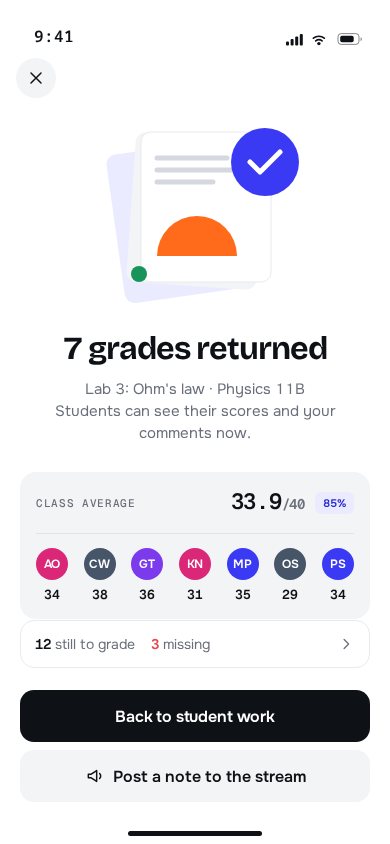
Classroom is a complete class stream and assignments app: welcome, sign in, a classes home with today's lessons and work to review, a class stream with announcements and comments, a new post, classwork by topic, an assignment with attachments and turn in counts, creating an assignment, a rubric builder, submissions, grading a lab report against the rubric, returning grades, private comments, people, a calendar of due work, a to do list, the student's own work with files, adding files, scanning notebook pages, turning in, class insights, activity, a Plus plan, profile and settings. White and soft grey with ultramarine, and tangerine, moss and teal for the other classes.
| Detail | Value |
|---|---|
| Screen type | Success |
| App | Classroom: Class stream and assignments |
| Category | Education |
| Design language | Minimal, light |
| Type | Bricolage Grotesque for headings, Onest for text |
| Colours | #ffffff background, #f3f4f6 surface, #0e1116 text, #6a707b text-muted, #3a3af4 accent, #ffffff accent-contrast, #ff6b1a secondary, #e8eaee border, #e5484d danger |
What this screen says
- 7 grades returned
- Lab 3: Ohm's law · Physics 11B
- Students can see their scores and your comments now.
- Class average 33.9/4085%
- AO
- CW
- GT
- KN
- MP
- OS
- PS
- 12 still to grade 3 missing
- Back to student work
- Post a note to the stream
Around it in Classroom
More success and confirmation screens
- Lexis Quiz result: A word a day
- Quanta Lesson complete: Interactive physics lessons
- Cram Results: Exam prep and mock tests
- Quad Submitted: University campus app
- Palm Lesson done: Learn sign language
- Epoch Quiz result: History on a timeline
- Wren Book finished: Early reading for kids
- Proof Set complete: Maths tutor that shows its working
- Skim Session complete: Speed reading trainer
- Terra Results: Geography and flags quiz
- Gambit Puzzle solved: Chess training
- Buzzer Results: Live trivia
Every education app success screen
What makes a good confirmation screen
- Confirm in the headline. "Payment sent", "Table booked for Friday at 8" or "Lesson complete" in plain words, with a clear success colour or icon.
- Repeat the key details. Amount, date, reference number or score, so people do not need to check elsewhere that the right thing happened.
- Say what happens next. When the order arrives, when the money lands, when the next lesson unlocks.
- Offer the next step. Track the order, add to calendar, share, or start the next lesson. One primary action and a way back home.
The full confirmation screen guide and every example
Remix Classroom free: describe your own app and it is drawn in this design. Or get its files from $10: Figma, React Native, SwiftUI, Flutter and HTML.