Templates · Detail screens · Fitness app · Careline
Careline Update screen
A detail screen from Careline, a care for an ageing parent app template in a Clinical style. Screen 14 of 25.
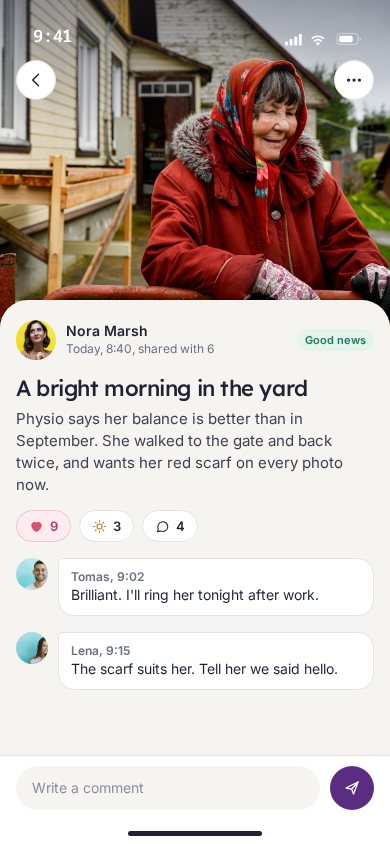
Careline is a complete family care circle app: welcome, sign in, a today screen with Mum's morning check in, a shared care calendar with open slots, task detail and sign up, new tasks, a medication schedule and refills, appointments with questions to ask, a live ride, an updates journal with comments, a big button check in for the parent, booking a paid home helper with a split cost, a document vault, the family chat, a monthly summary, a plus plan, notifications, the parent's profile with her circle, and settings. Porcelain and white with deep plum, a calm green for covered and a soft rose for help needed.
| Detail | Value |
|---|---|
| Screen type | Detail |
| App | Careline: Care for an ageing parent |
| Category | Health and fitness |
| Design language | Clinical, light |
| Type | Lexend for headings, Inter for text |
| Colours | #f6f4f1 background, #ffffff surface, #1e2233 text, #6b6f80 text-muted, #5a2d82 accent, #f1ebf8 primary-tint, #2e9b74 success, #d94f70 attention, #f2b25c warm-accent, #e7e2ea border |
What this screen says
- Nora MarshToday, 8:40, shared with 6
- Good news
- A bright morning in the yard
- Physio says her balance is better than in September. She walked to the gate and back twice, and wants her red scarf...
- Tomas, 9:02Brilliant. I'll ring her tonight after work.
- Lena, 9:15The scarf suits her. Tell her we said hello.
- Write a comment
Around it in Careline
More detail screens
- Mend Session: Physio and rehab exercises
- Tabata Workout: HIIT interval timer
- Jab Workout: Boxing workouts with a smart bag
- Exhale Box breathing: Breathwork sessions
- Bump This week: Pregnancy week by week
- Locker Check in: Gym membership and class booking
- Morsel Result: AI calorie tracker
- Dew Concern: AI skin scan and routine
- Cradle Sleep: Baby tracker
- Medly Suggested care: Doctor on call
- Donor Centre: Blood donation, counted drop by drop
- Unfold Class: Yoga and stretching
Every fitness app detail screen
What makes a good detail screen
- Lead with what identifies the item. A large image or title, the price or status, and the key facts at the top. People should know they are in the right place at a glance.
- Keep the main action visible. A sticky bottom button for Add to cart, Book or Play stays reachable while people scroll through details.
- Order information by importance. The facts that decide the choice come first; reviews, specifications and fine print further down.
- Use progressive disclosure. Long descriptions, specifications and policies can expand on tap rather than filling the screen.
The full detail screen guide and every example
Remix Careline free: describe your own app and it is drawn in this design. Or get its files from $10: Figma, React Native, SwiftUI, Flutter and HTML.