Templates · Sign in and sign up screens · Food app · Brigade
Brigade Sign in screen
A sign in screen from Brigade, a restaurant kitchen and line ops app template in an Enterprise style. Screen 2 of 25.
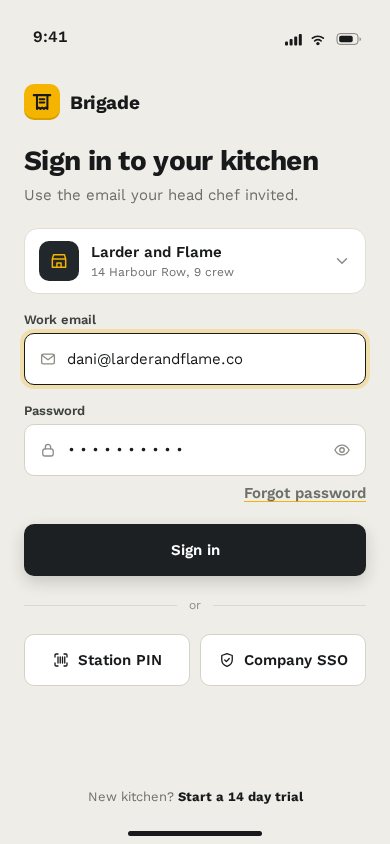
Brigade is a complete kitchen ops app for head chefs and their line: welcome, sign in and a station PIN, a live service home, the ticket rail with timers and an all day count, ticket and station details, the prep list with day dot labels, a recipe video with a portion scaler, new prep tasks, the 86 board, temperature checks and the food safety log, stock search, a supplier order with confirmation and live delivery, weekly reports, the crew on shift, notifications, a Pro plan, profile and settings. Warm stainless and white with brushed steel, saffron, and green to red timers.
| Detail | Value |
|---|---|
| Screen type | Sign in |
| App | Brigade: Restaurant kitchen and line ops |
| Category | Food |
| Design language | Enterprise, light |
| Type | JetBrains Mono for headings, Work Sans for text |
| Colours | #efede7 background, #ffffff surface, #17191b text, #6d6f6a text-muted, #f4b400 accent, #17191b accent-contrast, #22272b secondary, #e1ded5 border, #d63d2e danger |
What this screen says
- Brigade
- Sign in to your kitchen
- Use the email your head chef invited.
- Larder and Flame14 Harbour Row, 9 crew
- Work email
- dani@larderandflame.co
- Password
- ••••••••••
- Forgot password
- Sign in
- or
- Station PIN
- Company SSO
- New kitchen? Start a 14 day trial
Around it in Brigade
More sign in and sign up screens
- Courier Sign in: Food delivery driver app
- Picker Sign in: Grocery shopper app
- Queue Sign in: Join the waitlist from anywhere
- Nosh Sign in: Local restaurant reviews
- Buns Sign in: Burger chain ordering and deals
- Slice Sign in: Pizza ordering with a live tracker
- Crate Sign up: Meal kits delivered weekly
- Dash Sign in: Ten minute grocery delivery
- Aisle Sign in: Shared grocery lists
- Menu Sign in: Scan, order and pay at the table
- Mart Sign in: Supermarket app with loyalty and scan and go
- Rescue Sign in: Surprise bags of surplus food
What makes a good login screen
- Offer the fastest option first. Sign in with Apple, Google or a passkey takes one tap. If you support them, put them above the email form. Apple asks apps that use a third-party login like Google to also offer an equivalent privacy-focused option, such as Sign in with Apple.
- Separate sign in from sign up clearly. Use different headings and buttons, and a clear link to switch. People who already have an account should never end up creating a second one by accident.
- Use the right keyboard and autofill. Email fields should open the email keyboard and support password managers and one-time code autofill. Small details, big difference in how many people get through.
- Write errors that help. "That password doesn't match this email" is better than "Error 401". Keep what people typed so they only fix the part that was wrong.
The full login screen guide and every example
Remix Brigade free: describe your own app and it is drawn in this design. Or get its files from $10: Figma, React Native, SwiftUI, Flutter and HTML.