Templates · Detail screens · Education app · Tutor
Tutor Chat screen
A detail screen from Tutor, an education app template in a Minimal style. Screen 22 of 25.
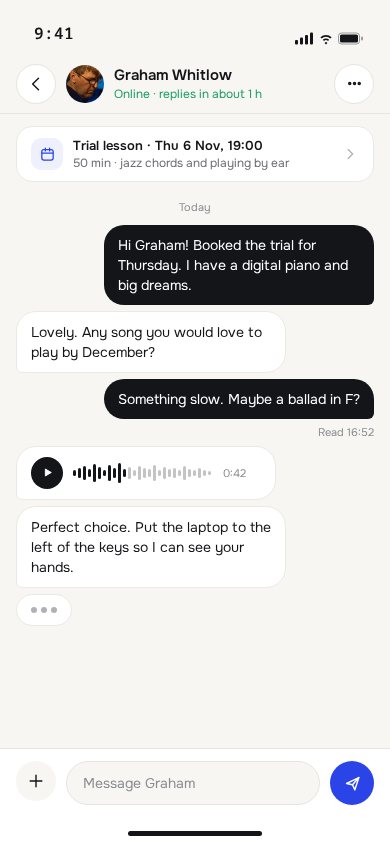
Tutor is a complete tutoring app for adult learners: welcome, picking a subject and level, sign in, a home with the next lesson, search by subject, tutor results with price, rating and an availability grid, filters for price, free times and native speakers, a tutor profile with an intro video, reviews, a time picker, trial booking, checkout and a booked ticket, monthly lesson plans, a schedule, a live video lesson room, shared notes, a lesson summary, homework, progress, messages, a chat, notifications, profile and settings. Paper white and ink with apricot highlights and cobalt.
| Detail | Value |
|---|---|
| Screen type | Detail |
| App | Tutor: Book online tutors for any skill |
| Category | Education |
| Design language | Minimal, light |
| Type | Instrument Serif for headings, Onest for text |
| Colours | #f7f6f2 background, #ffffff surface, #141519 text, #6c6e75 text-muted, #141519 accent, #ffffff accent-contrast, #2b44e8 secondary, #ffcf9e highlight, #e7e5df border, #1f9d63 success, #e0483c danger |
What this screen says
- Graham WhitlowOnline · replies in about 1 h
- Trial lesson · Thu 6 Nov, 19:0050 min · jazz chords and playing by ear
- Today
- Hi Graham! Booked the trial for Thursday. I have a digital piano and big dreams.
- Lovely. Any song you would love to play by December?
- Something slow. Maybe a ballad in F?
- Read 16:52
- Perfect choice. Put the laptop to the left of the keys so I can see your hands.
- Message Graham
Around it in Tutor
More detail screens
- Wren Book: Early reading for kids
- Proof Working: Maths tutor that shows its working
- Skim Book: Speed reading trainer
- Terra Portugal: Geography and flags quiz
- Gambit Daily puzzle: Chess training
- Buzzer Daily quiz: Live trivia
- Homeroom Timetable: School, all on one page
- Parla Unit guide: Language learning
- Recall Deck: Flashcards and spaced repetition
- Numo Daily challenge: Kids maths game
- Syntax Python basics: Learn to code
- Tuckin Story: Bedtime stories for kids
Every education app detail screen
What makes a good detail screen
- Lead with what identifies the item. A large image or title, the price or status, and the key facts at the top. People should know they are in the right place at a glance.
- Keep the main action visible. A sticky bottom button for Add to cart, Book or Play stays reachable while people scroll through details.
- Order information by importance. The facts that decide the choice come first; reviews, specifications and fine print further down.
- Use progressive disclosure. Long descriptions, specifications and policies can expand on tap rather than filling the screen.
The full detail screen guide and every example
Remix Tutor free: describe your own app and it is drawn in this design. Or get its files from $10: Figma, React Native, SwiftUI, Flutter and HTML.