Templates · Profile screens · Food app · Tiffin
Tiffin Profile screen
A profile screen from Tiffin, a food delivery app template in a Minimal style. Screen 25 of 26.
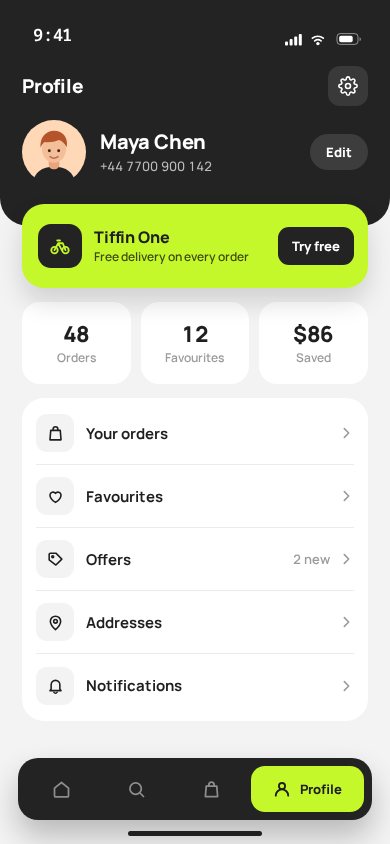
Tiffin is a full food delivery app in the spirit of the big ones: onboarding, phone sign in, home, search, restaurant menus, dish pages, add-ons, cart, address, payment, live tracking on a map, courier chat, ratings, order history, offers, a membership paywall, profile and settings. Charcoal headers over white cards, with one acid lime for everything you can act on.
| Detail | Value |
|---|---|
| Screen type | Profile |
| App | Tiffin: Food delivery |
| Category | Food |
| Design language | Minimal, light |
| Type | Manrope |
| Colours | #f3f3f3 background, #ffffff surface, #1f1f1f text, #9b9b9b text-muted, #c5f82a accent, #1f1f1f accent-contrast, #232323 secondary, #ebebeb border, #ff8a1e warning |
What this screen says
- Profile
- Maya Chen
- Edit
- Tiffin One
- Free delivery on every order
- Try free
- 48Orders
- 12Favourites
- $86Saved
- Your orders
- Favourites
- Offers2 new
- Addresses
- Notifications
Around it in Tiffin
More profile screens
- Menu Profile: Scan, order and pay at the table
- Mart Profile: Supermarket app with loyalty and scan and go
- Rescue Profile: Surprise bags of surplus food
- Omakase Chef: Chef's counter reservations
- Lunchbox Child: School lunch planner for parents
- Agave Profile: Cocktails and home bar
- Crock Profile: Fermentation and sourdough starter log
- Curbside Profile: Street food and food truck finder
- Forage Profile: Farmers market and veg box
- Ember Profile: Smoker and grill thermometer
- Steep Profile: Tea brewing and tasting notes
- Brigade Profile: Restaurant kitchen and line ops
What makes a good profile screen
- Lead with identity. Photo, name and one line about the person at the top. It confirms whose profile this is.
- Show meaningful stats. Two to four numbers that matter in this app, like workouts, followers, books read or streak.
- Make editing obvious for the owner. An Edit profile button near the top, shown only on your own profile.
- Organise content with tabs. Posts, activity, saved or achievements as tabs keep a long profile tidy.
The full profile screen guide and every example
Remix Tiffin free: describe your own app and it is drawn in this design. Or get its files from $10: Figma, React Native, SwiftUI, Flutter and HTML.