Templates · Detail screens · Productivity app · Meridian
Meridian Page screen
A detail screen from Meridian, a mobile web browser app template in a Glass style. Screen 7 of 25.
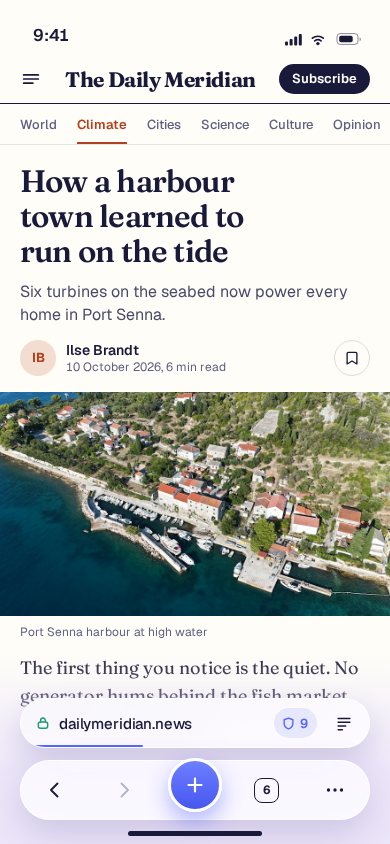
Meridian is a complete mobile web browser: welcome and set up, a calm start page with favourites, the address bar with suggestions, search results, a drawn news article with a floating glass toolbar, reader view, the tab grid, tab groups and private tabs, the page menu and share sheets, bookmarks, history, reading list, downloads, find on page, translate, a weekly privacy report, site settings, passwords, sync and settings. Frosted glass over a peach, lilac and sky wallpaper with one blue violet accent.
| Detail | Value |
|---|---|
| Screen type | Detail |
| App | Meridian: Mobile web browser |
| Category | Productivity |
| Design language | Glass, light |
| Type | Geist |
| Colours | #f1e8fa background, #ffffff surface, #191a3a text, #5f6183 text-muted, #5466ff accent, #ffffff accent-contrast, #ff9d72 secondary, #e3dcf2 border, #e5484d danger |
What this screen says
- The Daily MeridianSubscribe
- World Climate Cities Science Culture Opinion
- How a harbour town learned to run on the tide
- Six turbines on the seabed now power every home in Port Senna.
- IB
- Ilse Brandt10 October 2026, 6 min read
- Port Senna harbour at high water
- The first thing you notice is the quiet. No generator hums behind the fish market, and the ferry leaves on
- dailymeridian.news
Around it in Meridian
More detail screens
- Tick Task: To-do lists and reminders
- Beacon Person: Find your devices and people
- Staffroom Approval: HR, payslips and time off
- Slot Meeting: Booking links and meeting scheduling
- Sheet Record: Spreadsheets and databases
- Tunnel Country: VPN and online privacy
- Ping Test details: Internet speed test
- Glance Product: Visual search with the camera
- Replay Video: Record and share screen videos
- Easel Retro template: Collaborative whiteboard
- Token Account: Two-factor codes and sign-in approvals
- Beam Transfer: Send big files
Every productivity app detail screen
What makes a good detail screen
- Lead with what identifies the item. A large image or title, the price or status, and the key facts at the top. People should know they are in the right place at a glance.
- Keep the main action visible. A sticky bottom button for Add to cart, Book or Play stays reachable while people scroll through details.
- Order information by importance. The facts that decide the choice come first; reviews, specifications and fine print further down.
- Use progressive disclosure. Long descriptions, specifications and policies can expand on tap rather than filling the screen.
The full detail screen guide and every example
Remix Meridian free: describe your own app and it is drawn in this design. Or get its files from $10: Figma, React Native, SwiftUI, Flutter and HTML.