Templates · Sign in and sign up screens · Smart home app · Lumen
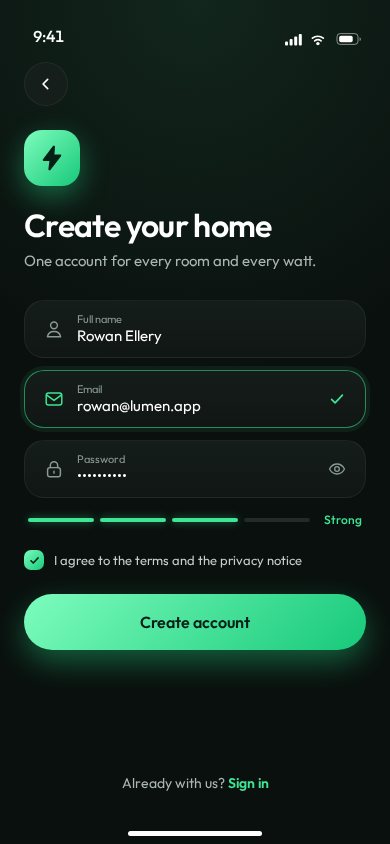
Lumen Create account screen
A sign in screen from Lumen, a smart home energy app template in a Dark-first style. Screen 3 of 25.
Lumen is a complete smart home app built around energy: welcome, sign in, a code and home setup, a home with quick actions and device cards, rooms, a room with a thermostat dial, every device, light and speaker controls, pairing a device, scenes and schedules, live energy analytics, usage per device, solar and battery flow, savings, a monthly budget, the bill, a Plus plan, profile and settings. One mint green for everything that is on, saving or selected.
| Detail | Value |
|---|---|
| Screen type | Sign in |
| App | Lumen: Smart home energy |
| Category | Smart home |
| Design language | Dark-first, dark |
| Type | Outfit |
| Colours | #0a100e background, #131a17 surface, #ffffff text, #8b9a93 text-muted, #3ee594 accent, #052016 accent-contrast, #12b76a secondary, #222b27 border, #ff6b6b danger |
What this screen says
- Create your home
- One account for every room and every watt.
- Full name
- Rowan Ellery
- rowan@lumen.app
- Password
- ••••••••••
- Strong
- I agree to the terms and the privacy notice
- Create account
- Already with us? Sign in
Around it in Lumen
More sign in and sign up screens
- Glow Sign in: Light scenes and colour
- Tagged Sign in: Home inventory for insurance
- Lobby Sign in: Apartment building app
- Sweep Sign in: Robot vacuum and mop
- Dusk Sign in: Smart home scenarios
- Abode Sign in: Smart home devices
- Boxed Sign in: Book movers and plan moving day
- Meter Sign in: Your energy supplier account
- Couch Sign in: TV remote, casting and watchlist
- Chime Sign in: Voice assistant and smart speaker
- Latch Sign in: Smart locks and guest access
- Mesh Sign in: Home Wi-Fi network
Every smart home app sign in screen
What makes a good login screen
- Offer the fastest option first. Sign in with Apple, Google or a passkey takes one tap. If you support them, put them above the email form. Apple asks apps that use a third-party login like Google to also offer an equivalent privacy-focused option, such as Sign in with Apple.
- Separate sign in from sign up clearly. Use different headings and buttons, and a clear link to switch. People who already have an account should never end up creating a second one by accident.
- Use the right keyboard and autofill. Email fields should open the email keyboard and support password managers and one-time code autofill. Small details, big difference in how many people get through.
- Write errors that help. "That password doesn't match this email" is better than "Error 401". Keep what people typed so they only fix the part that was wrong.
The full login screen guide and every example
Remix Lumen free: describe your own app and it is drawn in this design. Or get its files from $10: Figma, React Native, SwiftUI, Flutter and HTML.