Templates · Profile screens · Lifestyle app · Kino
Kino Who is watching screen
A profile screen from Kino, a film and series streaming app template in a Dark-first style. Screen 3 of 25.
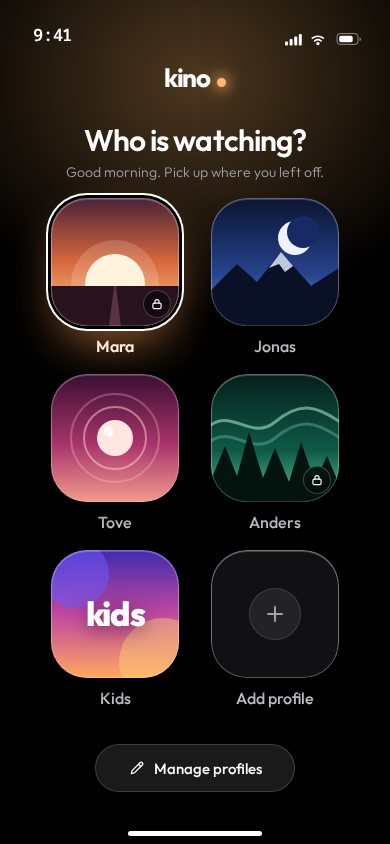
Kino is a complete streaming app: welcome, sign in, profiles, a home with a tall hero poster, continue watching and a top ten, title pages with episodes, a portrait player with audio and subtitles, search, genres, new and upcoming, downloads, my list, a vertical trailer feed, watch party, ratings, a kids profile, plans, payment, devices, parental controls, account and settings. True black with cinematic photography, white type and a sparing amber glow.
| Detail | Value |
|---|---|
| Screen type | Profile |
| App | Kino: Film and series streaming |
| Category | Lifestyle |
| Design language | Dark-first, dark |
| Type | Outfit |
| Colours | #000000 background, #141416 surface, #ffffff text, #a1a1aa text-muted, #ffb86b accent, #1a1206 accent-contrast, #f5efe6 secondary, #26262b border, #ff6b5e danger |
What this screen says
- kino
- Who is watching?
- Good morning. Pick up where you left off.
- Mara
- Jonas
- Tove
- Anders
- kids
- Add profile
- Manage profiles
Around it in Kino
More profile screens
- Provenance Account: Authenticated luxury resale
- Gavel Profile: Live online auctions
- Tidy Cleaner: Book home cleaners
- Dorm Flatmate: Find student housing
- Hem Profile: Tailoring and alterations, collected
- Lendly Owner: Borrow things from neighbours
- Stub Profile: Fan to fan ticket resale
- Trove Profile: Visual ideas and boards
- Vidi Channel: Video platform for creators
- Roll Account: Photo library and backups
- Splice Profile: Video editor for short clips
- Blush Profile: Beauty and makeup shopping
Every lifestyle app profile screen
What makes a good profile screen
- Lead with identity. Photo, name and one line about the person at the top. It confirms whose profile this is.
- Show meaningful stats. Two to four numbers that matter in this app, like workouts, followers, books read or streak.
- Make editing obvious for the owner. An Edit profile button near the top, shown only on your own profile.
- Organise content with tabs. Posts, activity, saved or achievements as tabs keep a long profile tidy.
The full profile screen guide and every example
Remix Kino free: describe your own app and it is drawn in this design. Or get its files from $10: Figma, React Native, SwiftUI, Flutter and HTML.