Templates · Onboarding screens · Travel app · Ignition
Ignition Welcome screen
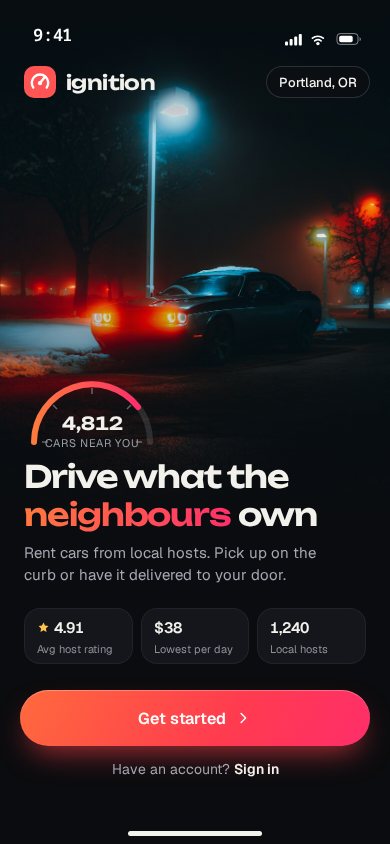
An onboarding screen from Ignition, a car rental from local hosts app template in a Dark-first style. Screen 1 of 25.
Ignition is a complete peer to peer car rental app: welcome, sign in, a driver license check, an explore home with search, categories and top rated cars, trip dates, results, a map with price pins, filters with a price histogram, a car page, the host profile and reviews, protection plans, review and pay, a booked confirmation, trips, a trip timeline, a check in camera, a digital key with a hold to unlock gauge, a chat with the host, a host earnings dashboard, listing a car, a Plus membership, notifications, profile and settings. Asphalt and charcoal with an ignition coral glow.
| Detail | Value |
|---|---|
| Screen type | Onboarding |
| App | Ignition: Car rental from local hosts |
| Category | Travel |
| Design language | Dark-first, dark |
| Type | Unbounded for headings, Geist for text |
| Colours | #0b0c0f background, #14161b surface, #f3f1ec text, #8b909b text-muted, #ff5a45 accent, #ffffff accent-contrast, #5ad7ff secondary, #23262e border, #ff2e6a danger |
What this screen says
- ignition
- Portland, OR
- 4,812CARS NEAR YOU
- Drive what the neighbours own
- Rent cars from local hosts. Pick up on the curb or have it delivered to your door.
- 4.91Avg host rating
- $38Lowest per day
- 1,240Local hosts
- Get started
- Have an account? Sign in
Around it in Ignition
More onboarding screens
- Detour Welcome: Community driving navigation
- Convoy Welcome: Carpooling between cities
- Manifest Welcome: Trip plans from your confirmation emails
- Roadster Welcome: Your electric car, from your phone
- Fairground Welcome: Theme park tickets, wait times and map
- Scoot Welcome: E-scooter and e-bike rental
- Nomad Welcome: Travel eSIM data plans
- Tern Welcome: Ferry and island hopping
- Berth Welcome: Night trains and sleeper cabins
- Caravan Welcome: Campervan rental and road trips
- Layover Welcome: Airport guide, gates and lounges
- Permit Welcome: Visas and travel documents wallet
Every travel app onboarding screen
What makes a good onboarding screen
- One idea per screen. Each screen should say one thing in a headline people can read in a second. If a screen needs a paragraph, it is doing too much.
- Personalise with a purpose. Ask a question only if the answer changes what people see next, like a goal, a level or an interest. Then show that the answer mattered.
- Explain permissions before asking. Show your own screen saying why you need notifications, location or the camera before the system prompt. People who understand the reason are more likely to allow it.
- Let people skip. A visible skip or "I'll do this later" respects returning users and the impatient. Make sure skipping still lands them somewhere useful.
The full onboarding screen guide and every example
Remix Ignition free: describe your own app and it is drawn in this design. Or get its files from $10: Figma, React Native, SwiftUI, Flutter and HTML.