Templates · Live tracking screens · Fitness app · Harbor
Harbor Breathing screen
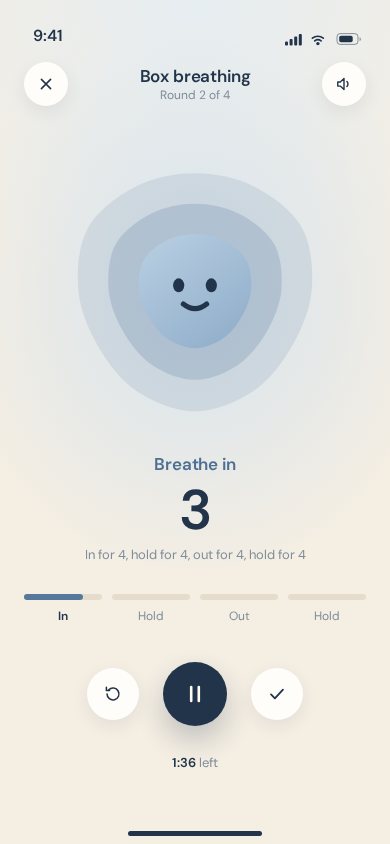
A tracking screen from Harbor, a therapy and mood app template in a Minimal style. Screen 20 of 25.
Harbor is a complete therapy and mood app: welcome, sign in, a passcode and first goals, a home that asks how you are, a two step mood check in, a journal with entries and prompts, mood trends with what lifts and weighs on you, therapist matching, a therapist page, booking and a video session, calming exercises with a breathing timer, crisis help, a Plus plan, notifications, profile and settings. Everything is drawn: five mood blobs with faces, soft portraits and a small boat in a harbour.
| Detail | Value |
|---|---|
| Screen type | Tracking |
| App | Harbor: Therapy and mood |
| Category | Health and fitness |
| Design language | Minimal, light |
| Type | DM Sans |
| Colours | #f4eee3 background, #fffdf9 surface, #22344a text, #7f8c99 text-muted, #55789c accent, #ffffff accent-contrast, #ee7b62 secondary, #e8dfd0 border, #cf4f3c danger |
What this screen says
- Box breathing
- Round 2 of 4
- Breathe in
- In for 4, hold for 4, out for 4, hold for 4
- In
- Hold
- Out
- 1:36 left
Around it in Harbor
More live tracking screens
- Lull Breathe: Sleep sounds and meditation
- Pace Heart rate: Fitness tracker
- Flexpass Check in: One membership, many studios
- Careline Ride: Care for an ageing parent
- Velo Ride: Live and on-demand indoor cycling
- Labwork Kit tracking: Book blood tests and see results
- Segment Record: Runs and rides with friends
- Nightly Workout: Smart ring sleep and readiness
- Pillbox Delivery: Pharmacy refills and medicine reminders
- Rise Tracking: Alarm clock and sleep cycles
- Level Low alert: Glucose monitor companion
- Reformer In class: Pilates studio booking
Every fitness app tracking screen
What makes a good live tracking screen
- The live number is the hero. Arrival time, pace, distance or time left, in large type at the top or centre.
- Show status in words. "Driver is 3 minutes away" or "Halfway there" alongside the map or chart.
- Make it readable while moving. Large numbers, high contrast and big buttons for pause, stop or call.
- Keep updates calm. Smooth movement on the map and steady numbers; jumpy updates feel broken.
The full live tracking screen guide and every example
Remix Harbor free: describe your own app and it is drawn in this design. Or get its files from $10: Figma, React Native, SwiftUI, Flutter and HTML.