Templates · Sign in and sign up screens · Finance app · Fathom
Fathom Passcode screen
A sign in screen from Fathom, a crypto wallet app template in a Dark-first style. Screen 4 of 25.
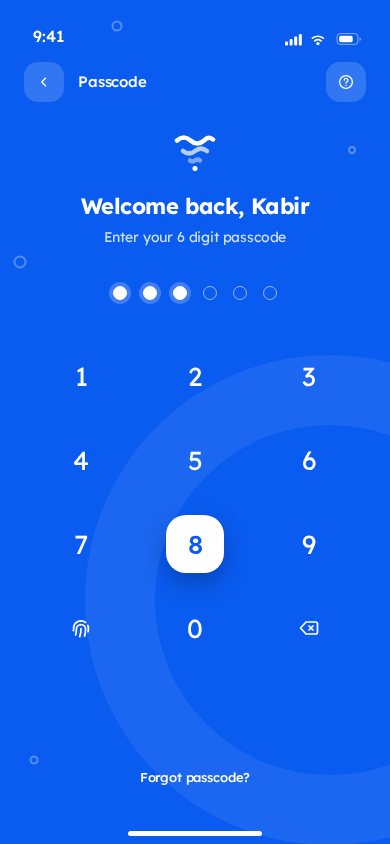
Fathom is a complete crypto wallet on deep navy: onboarding, sign in, passcode, identity check, a home with an illustrated balance header and coin cards, markets, a coin with its chart, buy, swap with a keypad, review and a receipt, send, receive with a QR code, staking, price alerts, activity, a Plus plan, profile, security and settings. One royal blue for every action, green and rose only for price moves.
| Detail | Value |
|---|---|
| Screen type | Sign in |
| App | Fathom: Crypto wallet |
| Category | Finance |
| Design language | Dark-first, dark |
| Type | Lexend |
| Colours | #0d1a33 background, #13233f surface, #ffffff text, #8394b8 text-muted, #0a5cf0 accent, #ffffff accent-contrast, #23d18b secondary, #1d3158 border, #f4577d danger |
What this screen says
- Passcode
- Welcome back, Kabir
- Enter your 6 digit passcode
- Forgot passcode?
Around it in Fathom
More sign in and sign up screens
- Burrow Sign in: Shared savings pots
- Remit Sign in: International money transfer
- Piggy Sign in: Pocket money for kids
- Settle Sign in: Bill payments and banking
- Marigold Sign in: Mobile banking
- Zentra Sign in: Crypto trading
- Payday Sign in: Payroll for small teams
- Roundup Create account: Invest your spare change
- Envelope Sign in: Give every dollar a job
- Recur Sign in: Track and cancel subscriptions
- Keel Sign in: Corporate cards and spend controls
- Giftly Sign in: Gift cards, sent and stored
Every finance app sign in screen
What makes a good login screen
- Offer the fastest option first. Sign in with Apple, Google or a passkey takes one tap. If you support them, put them above the email form. Apple asks apps that use a third-party login like Google to also offer an equivalent privacy-focused option, such as Sign in with Apple.
- Separate sign in from sign up clearly. Use different headings and buttons, and a clear link to switch. People who already have an account should never end up creating a second one by accident.
- Use the right keyboard and autofill. Email fields should open the email keyboard and support password managers and one-time code autofill. Small details, big difference in how many people get through.
- Write errors that help. "That password doesn't match this email" is better than "Error 401". Keep what people typed so they only fix the part that was wrong.
The full login screen guide and every example
Remix Fathom free: describe your own app and it is drawn in this design. Or get its files from $10: Figma, React Native, SwiftUI, Flutter and HTML.