Templates · Sign in and sign up screens · Travel app · Convoy
Convoy Verify screen
A sign in screen from Convoy, a carpooling between cities app template in a Playful style. Screen 3 of 25.
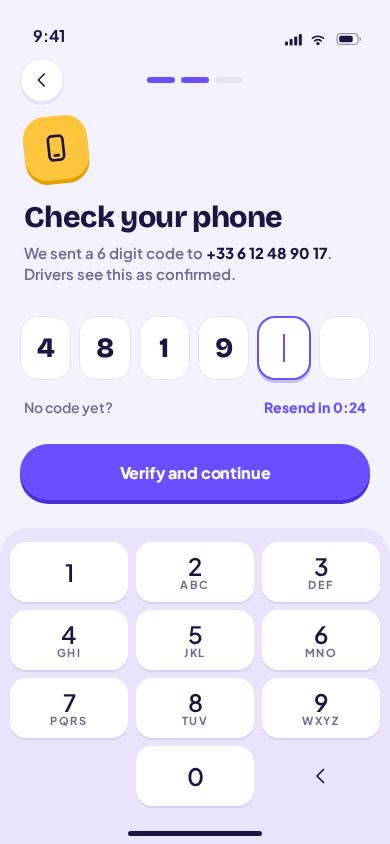
Convoy is a complete carpooling app: welcome, sign up, phone check, a search home, place search, results by time and price, filters, a ride page with stops and pickup, the driver profile, a meeting point map, booking with fees, a booked ticket, my rides, a live trip, inbox and chat, offering a ride with stopovers, seats and price, a published ride, driver stats, rating a trip, a membership plan, notifications, profile and settings. Lilac and white with electric violet, sunflower yellow and a mint for trust.
| Detail | Value |
|---|---|
| Screen type | Sign in |
| App | Convoy: Carpooling between cities |
| Category | Travel |
| Design language | Playful, light |
| Type | Bricolage Grotesque for headings, Plus Jakarta Sans for text |
| Colours | #f5f2ff background, #ffffff surface, #1d1442 text, #6f6a8f text-muted, #6b4eff accent, #ffffff accent-contrast, #ffc53d secondary, #1ec8a5 success, #e7e2f7 border, #ff6d5a danger |
What this screen says
- Check your phone
- We sent a 6 digit code to +33 6 12 48 90 17. Drivers see this as confirmed.
- No code yet? Resend in 0:24
- Verify and continue
- 1 2ABC 3DEF 4GHI 5JKL 6MNO 7PQRS 8TUV 9WXYZ 0
Around it in Convoy
More sign in and sign up screens
- Bunk Sign in: Hostels and backpacker meetups
- Piazza Sign in: Self-guided city walking tours
- Fjord Sign in: Cruise companion on board
- Kerb Sign in: Parking that reads like a road sign
- Linea Sign in: City transit
- Hollow Sign in: Cabin and boutique stays
- Aloft Sign in: Flight tracker
- Pitch Sign in: Campsite booking and trip kit
- Hail Sign in: Ride hailing
- Volta Sign in: EV charging
- Museo Sign in: Museum guide
- Roamly Sign in: Trips, stays and experiences
Every travel app sign in screen
What makes a good login screen
- Offer the fastest option first. Sign in with Apple, Google or a passkey takes one tap. If you support them, put them above the email form. Apple asks apps that use a third-party login like Google to also offer an equivalent privacy-focused option, such as Sign in with Apple.
- Separate sign in from sign up clearly. Use different headings and buttons, and a clear link to switch. People who already have an account should never end up creating a second one by accident.
- Use the right keyboard and autofill. Email fields should open the email keyboard and support password managers and one-time code autofill. Small details, big difference in how many people get through.
- Write errors that help. "That password doesn't match this email" is better than "Error 401". Keep what people typed so they only fix the part that was wrong.
The full login screen guide and every example
Remix Convoy free: describe your own app and it is drawn in this design. Or get its files from $10: Figma, React Native, SwiftUI, Flutter and HTML.