Templates · Paywall screens · Travel app · Aloft
Aloft Plus screen
A paywall screen from Aloft, a flight tracker app template in a Dark-first style. Screen 22 of 25.
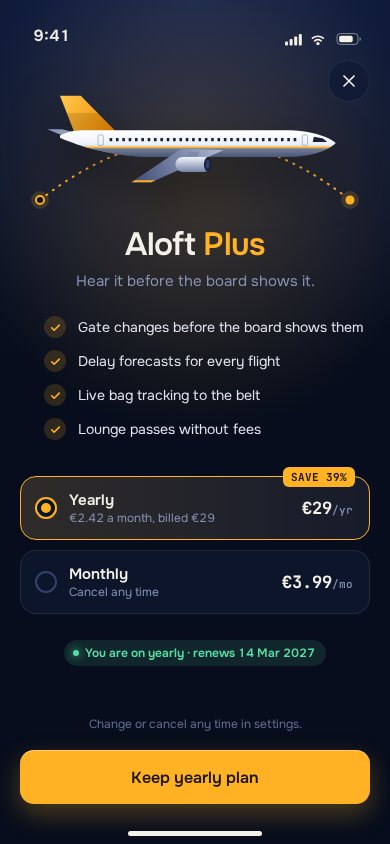
Aloft is a complete flight companion: welcome, sign in and a code, adding a flight, a home built around the next departure, my flights, flight details, a live flight on a dotted map with a route arc, gate change alerts, the departures board, the airport with wait times and a terminal map, a bag tracker, check in, seat choice and the boarding pass, lounges and a lounge pass, a delay forecast, a yearly flight log, a Plus plan, alerts, profile and settings. Airport codes, times and gates sit on split-flap tiles in amber mono type.
| Detail | Value |
|---|---|
| Screen type | Paywall |
| App | Aloft: Flight tracker |
| Category | Travel |
| Design language | Dark-first, dark |
| Type | Onest |
| Colours | #070d1c background, #0f1830 surface, #f4f1e8 text, #8492b4 text-muted, #ffb224 accent, #1c1300 accent-contrast, #54e0a4 secondary, #1d2947 border, #ff7a5c danger |
What this screen says
- Aloft Plus
- Hear it before the board shows it.
- Gate changes before the board shows them
- Delay forecasts for every flight
- Live bag tracking to the belt
- Lounge passes without fees
- Yearly€2.42 a month, billed €29
- €29/yrSAVE 39%
- MonthlyCancel any time
- €3.99/mo
- You are on yearly · renews 14 Mar 2027
- Change or cancel any time in settings.
- Keep yearly plan
Around it in Aloft
More paywall screens
- Jaunt Pass: Bus, train and flight booking
- Spoke Passes: Bike sharing
- Navara Club: Yacht charter
- Voya Plus: Travel booking
- Wheelhouse Pro: Driver app for ride hailing
- Fuelup Wash pass: Pay at the pump and car wash
- Omnia Plus: Super app for rides, food and payments
- Staya Plus: Homes and stays from local hosts
- Lodge Circle: Hotels, deals and reservations
- Fare Plus: Flight search and price alerts
- Rove Plus: Reviews and things to do
- Ignition Plus: Car rental from local hosts
Every travel app paywall screen
What makes a good paywall screen
- Lead with the outcome, not the feature list. The headline should say what changes for the person: "Train smarter every week" beats "Unlock Premium". Three to five benefits underneath are enough; more turns into a wall of ticks nobody reads.
- Show the real price, period and trial terms. State the price, how often it renews and when a free trial turns into a charge, near the button. Apple's App Store guideline 3.1.2 asks subscription apps to make this clear before purchase, and Google Play has similar rules.
- One primary button. The main call to action should be impossible to miss and say what happens: "Start 7-day free trial" or "Subscribe for $4.99/month". A second plan choice is fine; a second competing button is not.
- Make the plans easy to compare. When you offer monthly and yearly, show both prices in the same unit (per month or per week) and mark the saving on the yearly plan in plain numbers, not just a badge.
The full paywall screen guide and every example
Remix Aloft free: describe your own app and it is drawn in this design. Or get its files from $10: Figma, React Native, SwiftUI, Flutter and HTML.